How to Use Model Context Protocol (MCP) to Connect AI Agents to Your Messaging Inbox
Learn how the Model Context Protocol (MCP) connects AI agents to messaging platforms to streamline support workflows and conversational operations.
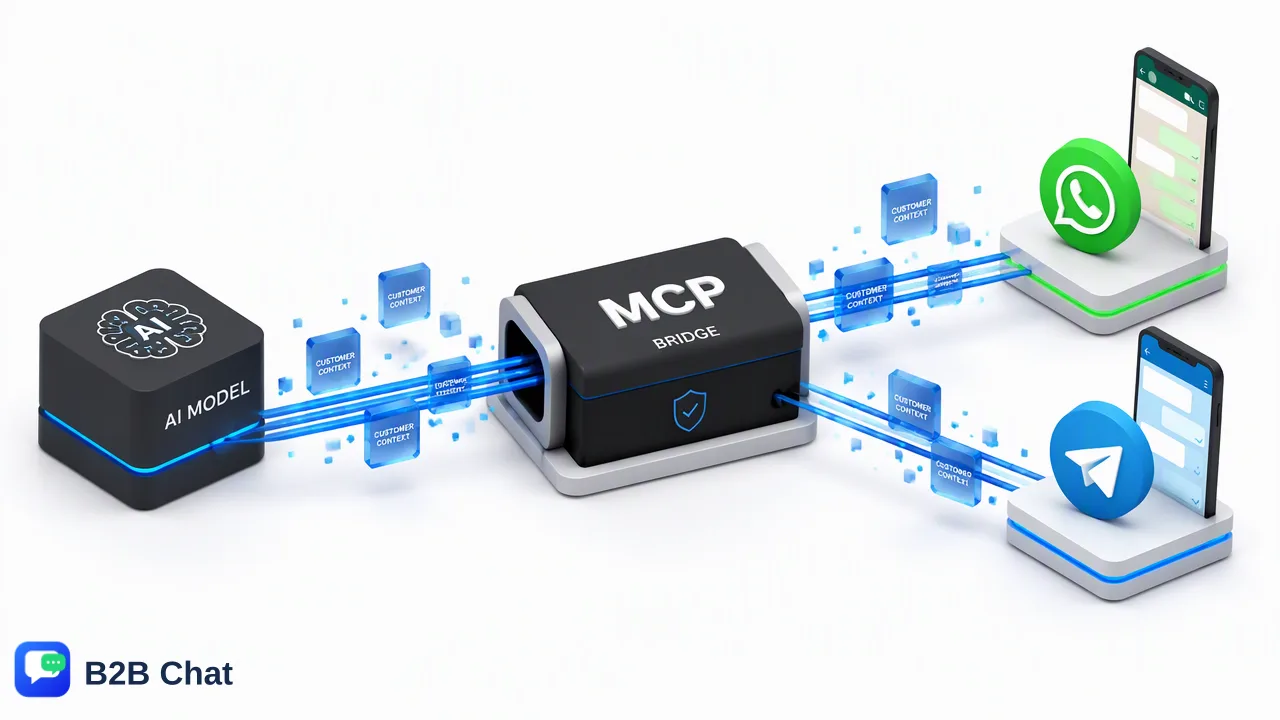
This guide examines how the Model Context Protocol (MCP) standardizes connecting AI agents to messaging platforms like WhatsApp, Telegram, and LINE, streamlining context-aware customer support and multi-channel operations.
Connecting AI agents to messaging platforms requires bridging autonomous language models with dynamic conversation channels such as WhatsApp, Telegram, and LINE. The Model Context Protocol (MCP) provides an open, standardized bridge between external business tools, CRM systems, and AI models. Rather than building and maintaining brittle custom API bridges or intricate middleware, organizations can use MCP to grant AI agents structured, authenticated access to chat interfaces. This approach supports tasks such as reading conversation history, assessing customer context, drafting responses, and managing contact records across channels.
The Challenge of AI-to-Messaging Integration
Customer communication increasingly takes place across direct messaging networks like WhatsApp, Telegram, and LINE. While modern generative AI models can analyze intent and produce natural dialogue, connecting AI agents to messaging platforms has historically presented significant engineering friction. Traditionally, integrating an autonomous agent into a messaging workflow requires building custom API connectors or configuring complex no-code automation stacks. Each messaging network enforces distinct payload formats, webhook mechanisms, and authentication lifecycles. Furthermore, maintaining state across disparate tools—such as e-commerce databases, help desk tickets, and live chat logs—creates integration debt. When an underlying API changes, custom pipelines often break, resulting in dropped messages or delayed responses. For organizations managing multiple brand accounts or international operations, this fragmentation significantly complicates scalable automation.
What is the Model Context Protocol (MCP)?
The Model Context Protocol (MCP) is an open standard designed to enable secure, bi-directional interaction between AI models and external data sources or execution tools. Instead of requiring developers to write bespoke code for every software tool an AI agent needs to access, MCP specifies a uniform interface for exposing context, prompts, and tool capabilities. Under this architecture, external systems present their available functions—such as fetching customer records, searching past conversations, or dispatching outbound replies—as discoverable MCP tools. When an incoming message arrives, the host application provides the relevant context to the AI model through the protocol. The model evaluates user intent, selects the necessary tool, and executes actions within controlled permission boundaries. This standardized communication model helps organizations maintain authenticated control over sensitive customer information while accelerating deployment cycles.
Operational Benefits for Customer Service Teams
Implementing a standardized connection between AI models and messaging platforms delivers tangible operational advantages for customer service, marketing, and cross-border teams. | Capability | Traditional Custom Integration | MCP-Standardized Architecture | | :--- | :--- | :--- | | Integration Maintenance | High; requires ongoing updates for each channel API | Low; uses a common protocol across tools and models | | Multi-Channel Orchestration | Siloed scripts per messaging application | Unified interaction layer across channels | | Contextual Tool Access | Hardcoded webhook routines | Dynamic tool discovery and contextual action execution | | Data Governance | Fragmented credentials across multiple webhooks | Centralized, authenticated permission controls | By leveraging this framework, AI agents can perform routine operational actions directly from the chat workspace. An agent can retrieve order status, look up historical interactions, and draft contextually relevant replies for human review. This structure supports consistent response quality and frees human agents to focus on complex advisory workflows.
Implementing AI Workflows in Centralized Messaging Workspaces
To maximize the value of standardized AI connectivity, organizations benefit from pairing AI models with a centralized messaging workspace. B2B Chat provides a dedicated customer service environment delivered via a downloadable desktop client for Windows and macOS, allowing teams to manage multiple WhatsApp, Telegram, and LINE accounts from a unified interface. Within this unified operations layer, AI customer service capabilities interpret customer intent directly from incoming messages and surrounding conversational context to assist automated first-line responses. Rather than treating each social account as an isolated silo, teams can centralize customer dialogues while deploying AI assistance to categorize inquiries and draft answers. Additionally, built-in AI translation covers 200+ languages, adjusting phrasing based on conversation context so global cross-border operations can support international buyers smoothly.
FAQ
How does MCP differ from traditional API integrations?
Traditional integrations rely on custom point-to-point API connectors or third-party middleware pipelines that require continuous updates whenever an endpoint schema changes. MCP establishes a universal, open standard for AI models to query external tools and data environments directly. This standardized architecture reduces developer overhead, streamlines authenticated access, and allows models to discover tools dynamically.
Can MCP support multiple messaging channels simultaneously?
Yes. Because MCP standardizes the communication layer between the model and operational tools, AI agents can interact with unified messaging environments that centralize accounts from WhatsApp, Telegram, and LINE. This multi-channel approach helps teams maintain contextual awareness across platforms without requiring separate bot logic for each messaging network.
Does AI messaging automation replace human customer service teams?
No. Standardized AI integration supports human operators rather than replacing them. AI agents excel at first-line intent recognition, routine inquiry handling, and drafting preliminary responses. Human oversight remains essential for handling sensitive account inquiries, nuanced escalations, and complex customer relationship decisions.
Learn More
Choose the product information that fits the next step in your workflow.