The Modern Customer Interaction Management Framework: Centralizing Messaging for B2B Teams
Learn how customer interaction management software centralizes WhatsApp, Telegram, and LINE messaging to streamline B2B operations and conversation workflows.
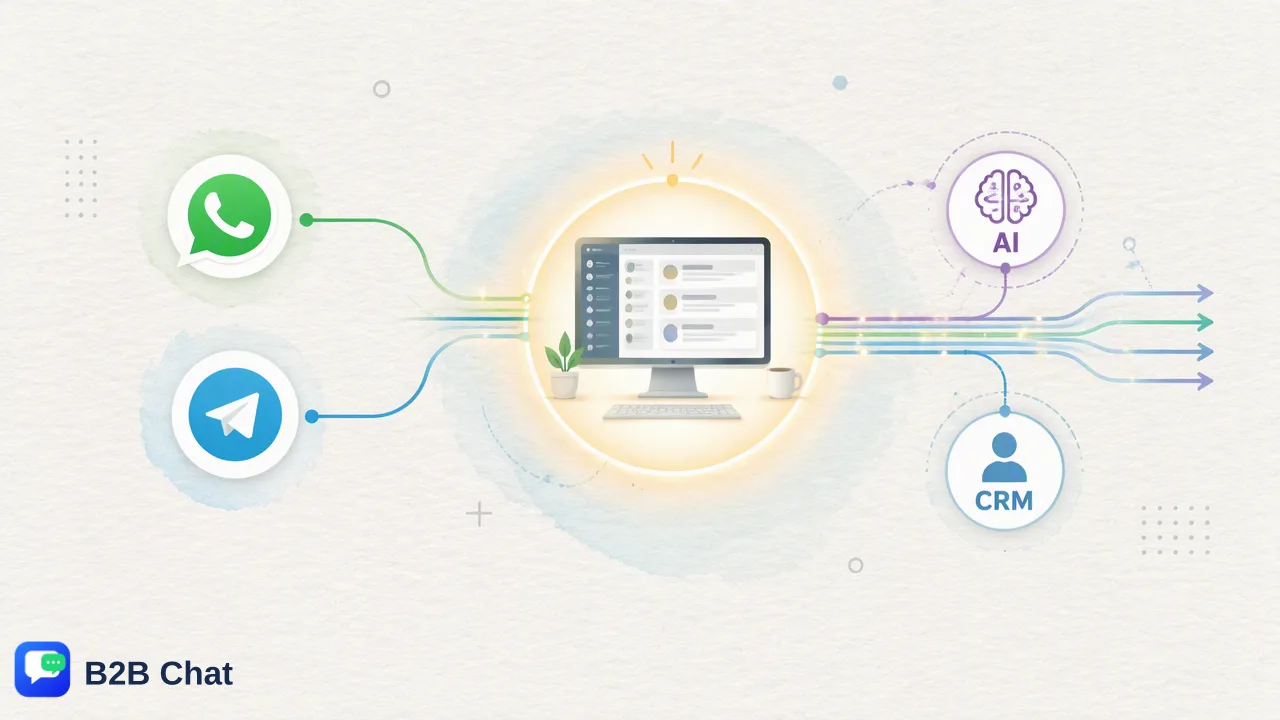
A comprehensive operational guide on modernizing B2B customer interaction management by consolidating fragmented messaging channels into a unified desktop workspace equipped with AI translation and automated inquiry assistance.
Modern customer interaction management software consolidates fragmented digital communication channels into a unified operational workspace, allowing teams to monitor, route, and respond to incoming inquiries from a single interface. By transitioning away from isolated mobile apps and traditional shared email mailboxes, organizations can centralize accounts across platforms like WhatsApp, Telegram, and LINE. This unified approach supports consistent conversation context, assists first-line qualification through context-aware artificial intelligence, and bridges cross-border language barriers across international markets.
The Evolution of B2B Messaging and Customer Interaction Management Software
Customer interaction management software has evolved to address a fundamental shift in business communication. Historically, B2B organizations conducted client relations through scheduled phone calls, ticketing portals, and asynchronous email exchanges. However, enterprise buyers and global partners increasingly demand rapid, conversational engagement via social messaging platforms such as WhatsApp, Telegram, and LINE. While social messaging delivers immediate reach, it also creates significant operational friction when deployed at scale. Inquiries often arrive across disparate accounts, personal devices, and localized regional platforms. Without centralized customer interaction management software, organizations face fractured communication records, inconsistent customer experiences, and operational silos. Team members frequently find themselves manually tracking conversations across separate mobile screens, leaving account managers with incomplete records of customer needs, active negotiations, or technical issues. Establishing an organized customer interaction management framework provides the structural foundation required to harness high-velocity messaging. By routing multi-platform interactions into a structured environment, organizations can systematically monitor incoming traffic, standardize response protocols, and maintain accountability across global sales and support operations.
Why Shared Mailboxes Fail in High-Velocity Messaging Environments
Many growing enterprises attempt to adapt traditional shared mailboxes or ticketing systems to manage real-time social messaging. While shared email inboxes work well for long-form, asynchronous correspondence, they are structurally unsuited to the tempo and technical realities of modern conversational channels. First, shared mailboxes rely on subject-line threading and static ticket statuses, which do not reflect the dynamic, continuous flow of instant messaging dialogues. An inquiry sent over WhatsApp or Telegram rarely follows an email-style format; it often arrives as a series of short messages, media attachments, or rapid follow-up queries that overwhelm traditional ticketing queues. Second, shared mailboxes lack native account aggregation for mobile-first messaging protocols. When agents attempt to bridge social apps into email-centric tools, metadata such as message status, read receipts, and multimedia files are often lost or formatted poorly. Furthermore, multiple team members cannot easily collaborate in real time on a fast-moving live chat thread without risking collision or duplicated responses. | :--- | :--- | :--- | | Communication Pace | Asynchronous, delayed batch replies | Synchronous, real-time interactive dialogue | | Channel Scope | Primarily email and basic web forms | WhatsApp, Telegram, and LINE multi-account aggregation | | Context Retention | Fragmented across tickets and separate threads | Continuous, centralized conversation timeline | | Team Coordination | Risk of agent collision and blind overwrites | Centralized visibility and structured routing | | Cross-Border Support | Manual external translation tools required | Integrated, context-aware translation across 200+ languages |
Core Pillars of a Unified Customer Interaction Workspace
A functional customer interaction framework rests on three primary operational pillars: multi-account aggregation, stable desktop infrastructure, and scalable capacity controls. Rather than distributing company SIM cards or requiring personnel to access individual web portals, teams benefit from centralized client environments designed specifically for high-volume conversational workflows. ### Account Aggregation and Multi-Login Infrastructure Modern B2B teams often operate distinct accounts across different regions, product lines, or brand divisions. B2B Chat addresses this operational requirement by supporting account aggregation and multi-login workflows for WhatsApp, Telegram, and LINE within a single downloadable client available on Windows and macOS. This structure allows agents to oversee multiple inbound lines simultaneously, reducing the need to log in and out of different browser sessions or carry multiple physical hardware devices. ### Administrative Scalability and Open Port Architectures Operational scalability requires flexibility in how connections are structured. In B2B Chat, ports are fully open with unlimited registrations, meaning organizations do not encounter stated port quantity caps or stated usage-duration limits when connecting accounts. This infrastructure gives support and marketing leaders the flexibility to attach additional customer touchpoints, test regional messaging campaigns, and expand service capacity as team sizes grow. ### Centralized Conversational Recordkeeping Consolidating communication onto dedicated desktop clients protects organizational continuity. When client conversations occur inside private accounts on personal phones, the organization loses historical intelligence whenever staff depart or rotate duties. A unified workspace retains the interaction trail within the enterprise environment, providing incoming personnel with immediate visibility into past agreements, complaints, and preferences.
Scaling Global Operations with Context-Aware AI Automation
Managing high interaction volumes across international time zones requires intelligent operational assistance. Rather than positioning artificial intelligence as an outright replacement for human judgment, effective customer interaction management software deploys AI as an operational layer that accelerates triage, assists first-line drafting, and bridges multilingual gaps. ### Context-Aware AI Translation Cross-border enterprise commerce inherently involves multilingual customer bases. B2B Chat integrates Smart Translation, covering more than 200 languages with automated language detection. Instead of relying on rigid, word-for-word translation engines, the underlying system adjusts its phrasing and expression based on the broader conversation context. This capability helps support representatives understand colloquial phrasing, industry-specific terminology, and localized expressions, allowing them to formulate accurate, culturally appropriate responses. ### First-Line Intent Interpretation and Response Assistance High-velocity messaging environments often present recurring customer inquiries regarding catalog details, onboarding instructions, or basic troubleshooting. B2B Chat incorporates Smart Customer Service capabilities that interpret incoming customer intent from message content and conversational context. By analyzing this context, the system assists teams by proposing or automating first-line responses to routine questions. This assistive automation frees specialized support personnel and relationship managers to focus their attention on complex negotiations, high-value client escalations, and nuanced problem resolution. Human review remains central to quality assurance, ensuring that automated suggestions align with organizational policies and customer expectations.
Integrating Messaging Data into the CRM and Enterprise Workflow
A centralized messaging workspace should not operate in isolation from the rest of the enterprise software stack. Customer communications contain critical business data—including lead qualifications, contract requests, feature feedback, and service complaints—that must flow seamlessly into internal customer relationship management (CRM) systems. When messaging interactions remain confined to personal chat apps, sales pipelines suffer from missing interaction notes, inaccurate pipeline stages, and fragmented customer profiles. In contrast, establishing a disciplined interaction management framework enables organizations to treat conversational messaging as an integrated component of their broader data architecture. To establish a reliable single source of truth, organizations should adopt the following operational practices:
- Synchronize Contact Records: Ensure unique customer phone numbers and social handles are mapped directly to central CRM accounts to prevent record duplication. - Log Conversational Milestones: Record key conversation transitions, such as completed demos, pricing inquiries, or contract issues, into team-wide CRM activity timelines. - Standardize Escalation Protocols: Define clear rules for when an interaction transitions from automated first-line messaging assistance to dedicated account executives or technical support specialists. - Audit Ongoing Service Quality: Periodically review conversational histories, response timeliness, and AI-assisted interactions to refine messaging playbooks and train personnel. By uniting multi-channel messaging aggregation with systematic CRM synchronization, organizations provide customer-facing teams with the shared context necessary to deliver reliable, coordinated service at scale.
FAQ
What are the primary operational benefits of centralizing messaging channels?
Centralizing messaging channels into a single workspace helps teams eliminate tool switching, retain complete conversation context across agent shifts, and avoid missed inquiries. By managing multiple accounts and platforms from one downloadable client, teams improve internal visibility, maintain audit trails, and streamline handoffs between support, sales, and account management teams.
How does AI translation assist cross-border customer communication?
Context-aware AI translation automatically detects inbound languages across more than 200 supported languages and adapts phrasing based on conversation context. This functionality helps customer support and sales teams communicate with international clients in their preferred languages without requiring native-speaking agents for every regional market.
Why is a unified workspace preferable to running messaging applications individually?
Managing messaging apps individually requires agents to toggle between multiple browser windows, mobile devices, or separate desktop clients. This fragmentation leads to scattered chat histories, delayed response times, and increased operational risk if a physical device is misplaced. A unified downloadable client consolidates multiple logins and communication channels into one organized screen.
How can support teams maintain conversation context during agent reassignments?
Teams maintain conversation context by anchoring communication history to centralized accounts within a unified workspace rather than individual employee devices. When inquiries are reassigned or escalated, new agents can review the full historical thread, previous intent signals, and customer details directly within the conversation window.
Learn More
Choose the product information that fits the next step in your workflow.