Scaling Support: How to Launch Your First Customer Service AI Agent
Learn how to manage customer service AI agent implementation for WhatsApp and Telegram. Centralize accounts, translate messages, and assist first-line support.
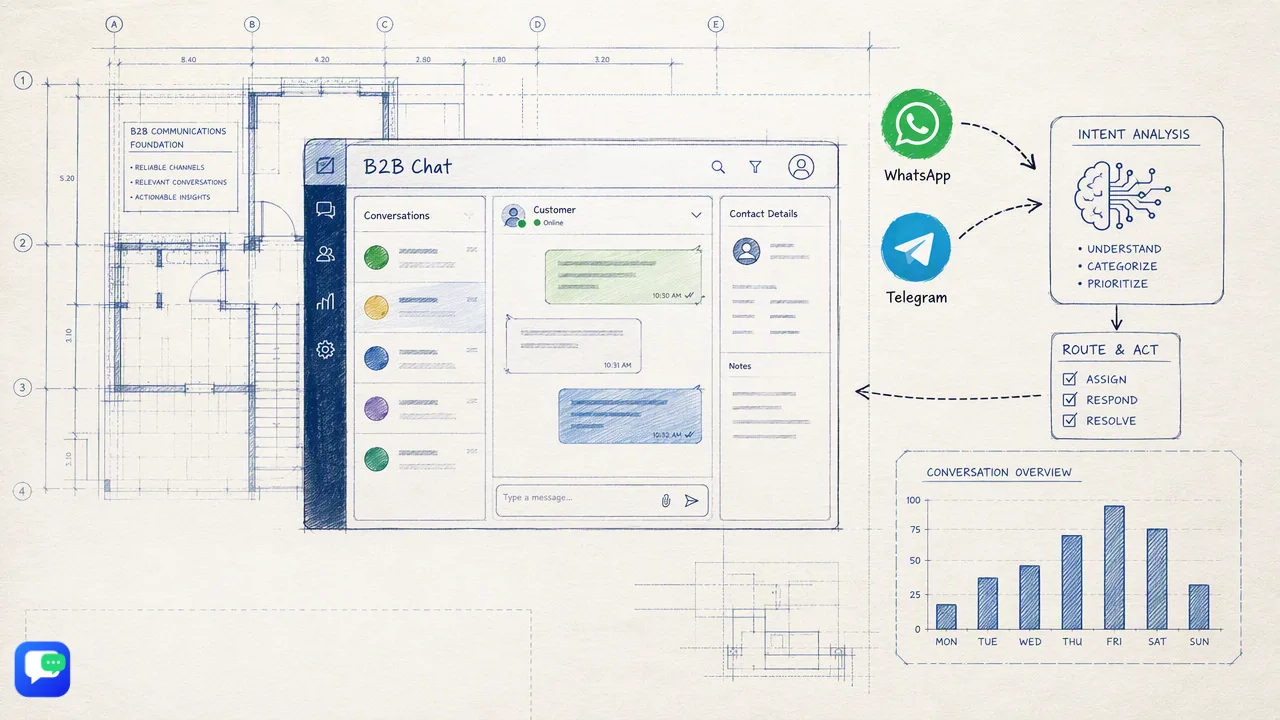
A practical guide to customer service AI agent implementation, focusing on centralizing WhatsApp and Telegram accounts, utilizing context-aware intent analysis, and deploying real-time translation to assist first-line support operations.
Successful customer service ai agent implementation begins with centralizing your communication channels into a single workspace. By aggregating WhatsApp and Telegram accounts, teams can deploy AI tools that offer context-aware intent analysis and real-time translation to assist first-line responses. This operational approach helps support teams handle multiple global conversations simultaneously while helping automated replies remain relevant to the customer's specific history and needs.
The Foundation: Centralizing Your Support Channels
Before deploying automation, support teams need a unified view of their messaging traffic. Managing fragmented communication across different devices creates operational bottlenecks. A structured customer service ai agent implementation starts by bringing WhatsApp and Telegram accounts into one centralized workspace. Using a downloadable client for Windows or macOS, teams can manage multiple accounts in one place. This account aggregation supports multi-login workflows, reducing the need for support staff to switch between different tools or screens.
| Workflow | Fragmented Management | Centralized Workspace |
|---|---|---|
| Account Access | Multiple devices and separate logins | Single downloadable client (Windows/macOS) |
| Channel Support | Isolated WhatsApp and Telegram apps | Aggregated multi-login environment |
| Scalability | Limited by physical hardware | Unlimited registrations and fully open ports |
| Because the workspace supports fully open ports with unlimited registrations and no stated usage-duration limits, organizations can scale their connected accounts as their global support volume grows. Centralizing these channels provides the necessary foundation for applying AI-driven routing and automated assistance. |
Leveraging Context for Smarter Automation
Once accounts are centralized, the next phase of customer service ai agent implementation involves configuring the AI to handle incoming inquiries intelligently. Rather than relying on rigid keyword triggers, modern Smart Customer Service tools interpret customer intent from incoming messages and the broader conversation context. This context-aware approach assists automated first-line responses, helping teams address routine questions without immediate human intervention. By analyzing the history of the multi-turn conversation, the AI agent can provide relevant replies that align with the customer's specific needs. Organizations can utilize this capability on a per-request basis, with Smart Customer Service usage publicly listed at $0.02 per request. This helps support operations manage costs predictably while deploying automated assistance across high-volume WhatsApp and Telegram channels.
Breaking Language Barriers in Global Support
Global support operations frequently encounter language barriers that slow down response times and complicate issue resolution. Integrating Smart Translation into your customer service ai agent implementation helps teams handle multilingual conversations efficiently. The translation feature covers over 200 languages and includes automatic language detection, helping support staff read and respond to international queries without leaving the workspace. Furthermore, the translation expression can be adjusted based on conversation context, helping to keep technical terms or localized nuances communicated clearly. This capability supports cross-border ecommerce and global marketing teams by standardizing communication. Smart Translation is publicly listed at $0.002 per request, providing a scalable way to assist global users without requiring a fully multilingual human support desk.
Best Practices for Risk-Managed Deployment
Deploying automation requires a structured approach to maintain quality and oversight. A risk-managed customer service ai agent implementation focuses on assisting human agents rather than attempting to replace the support team entirely. Consider the following operational best practices when configuring your workspace:
- Focus on First-Line Assistance: Configure the AI to handle initial greetings, routine FAQs, and basic intent gathering to support the broader team.
- Maintain Human Review: Establish routing rules so that complex issues or escalated complaints are seamlessly transferred to human operators.
- Monitor Usage and Costs: Track the per-request usage of both Smart Translation and Smart Customer Service to align operational spending with support volume.
- Utilize Official Support: Leverage official Telegram support and product-update channels to stay informed about client updates for your Windows or macOS deployment. By treating the AI as a first-line assistant, teams can improve response capacity while keeping human oversight for critical customer interactions.
FAQ
How does an AI agent maintain context during a conversation?
The Smart Customer Service feature interprets customer intent by analyzing both incoming messages and the ongoing conversation context. This helps the system assist with automated first-line responses that are relevant to the user's specific history and current inquiry.
Can I manage multiple WhatsApp and Telegram accounts in one place?
Yes, the downloadable client supports teams in aggregating and managing multiple WhatsApp and Telegram accounts within a single workspace. The system features fully open ports with unlimited registrations and no stated port quantity limits.
How many languages can the AI translation feature handle?
The Smart Translation capability covers over 200 languages. It includes automatic language detection and adjusts translation expressions based on the conversation context to support global communication.
How is the AI customer service and translation usage billed?
Both features operate on a per-request model. Smart Translation is publicly listed at $0.002 per request, while Smart Customer Service is publicly listed at $0.02 per request, helping teams manage costs based on their actual support volume.