Automating Patient Communication: A Workflow Guide for Healthcare Clinics
Learn how clinics use healthcare messaging automation across WhatsApp, Telegram, and LINE to centralize communication and support routine patient inquiries.
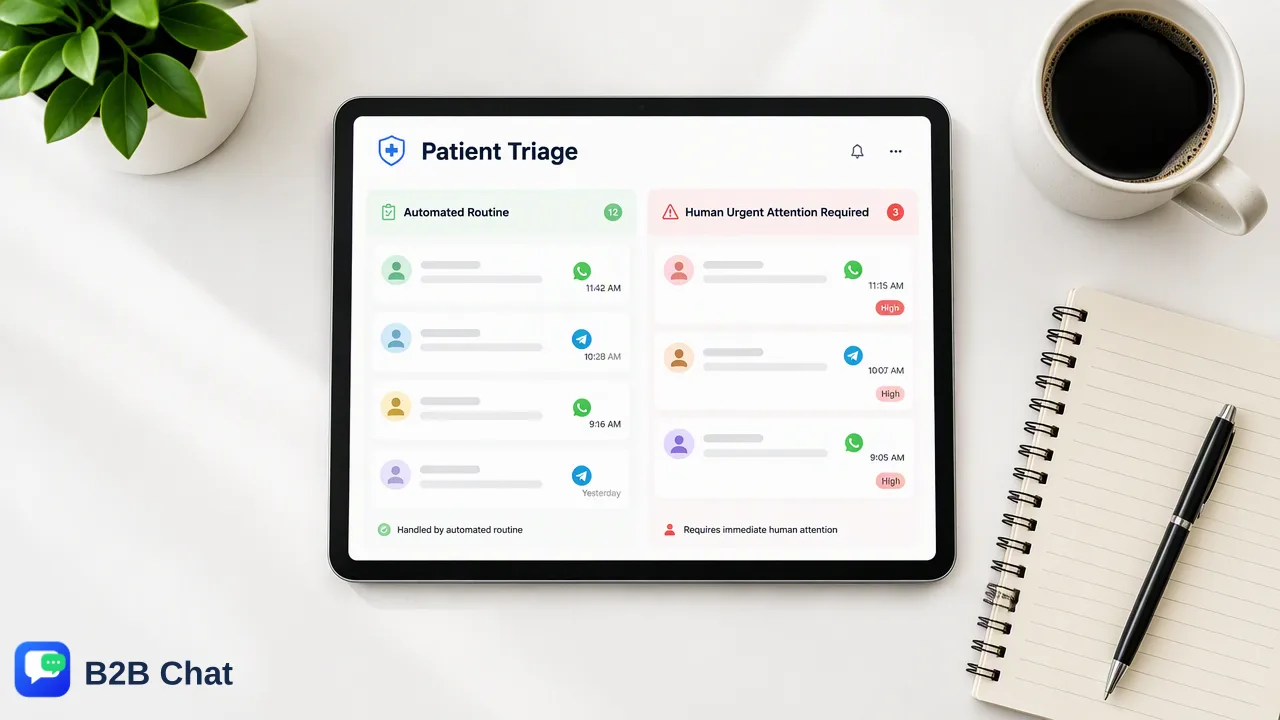
This operational guide explains how healthcare clinics can centralize patient communication across messaging platforms and use AI-assisted tools to handle routine administrative inquiries.
Healthcare messaging automation helps clinics manage high volumes of inbound patient inquiries by centralizing external communication channels and deploying context-aware assistance for routine questions. By routing channels like WhatsApp, Telegram, and LINE into a unified desktop workspace, clinic administrative staff can review patient messages in one place. Pairing centralized messaging with AI-assisted first-line responses supports rapid answers to repetitive administrative inquiries—such as hours, locations, and intake preparation—freeing administrative teams to handle complex patient care coordination without losing context.
The Operational Challenge of Modern Patient Communication
Healthcare clinics frequently experience high volumes of repetitive inquiries regarding opening hours, facility location, general service availability, and basic intake policies. When patient outreach is dispersed across personal devices, phone lines, and separate messaging apps, staff members face fragmented communication paths. This fragmentation often leads to administrative bottlenecks, delayed answers, and potential gaps in coordination. Rather than dedicating clinical or reception staff to manually typing repetitive responses to identical inquiries, organizations benefit from structured communication workflows. Implementing standardized healthcare messaging automation supports timely touchpoints while preserving administrative capacity for urgent or sensitive patient issues that demand personal human attention.
Centralizing Communication Across Messaging Channels
Patients commonly reach out through their preferred mobile channels, including WhatsApp, Telegram, and LINE. When healthcare teams attempt to manage these platforms through disconnected browsers or individual mobile handsets, conversation histories become siloed, risking lost context during patient handovers. Using a unified customer-service workspace, such as B2B Chat's desktop client on Windows or macOS, organizations can aggregate multiple accounts across WhatsApp, Telegram, and LINE into a single interface. Centralizing multiple accounts into one operational environment helps staff monitor incoming queues, review previous conversation history, and maintain continuity of care. Operating from a unified desktop workspace also simplifies handover between reception shifts, providing supervisory visibility into pending conversations without requiring staff to switch between multiple physical devices or browser windows.
Automating Routine Inquiries with Context-Aware AI Assistance
Routine questions consume substantial administrative bandwidth in outpatient facilities. Deploying automated first-line responses helps address standard administrative topics immediately, ensuring patients receive verified details about facility hours, parking directions, and general registration guidelines at any hour of the day. B2B Chat provides AI customer service capabilities designed to interpret patient intent directly from incoming messages and the broader conversational context. Instead of relying purely on rigid keyword matching, context-aware intent interpretation assists in formulating appropriate first-line replies for routine administrative inquiries. Automated systems function as a support layer rather than a replacement for qualified medical professionals. When a patient message involves non-routine health symptoms, triage needs, or nuanced medical evaluation, the automated workflow supports routing the context directly to clinical personnel for human review.
Managing Multilingual Inquiries Across Diverse Patient Communities
Healthcare facilities often serve diverse demographic populations speaking a variety of native languages. Miscommunication in administrative guidance can lead to missed appointments, improper intake preparation, or patient confusion regarding clinic protocols. To address language barriers, B2B Chat integrates AI translation capabilities that automatically detect incoming languages and support translation across more than 200 languages. Rather than relying on literal word-by-word conversion, the system adjusts translation expression based on conversational context, helping both staff and patients understand administrative instructions accurately. Supporting cross-language communication directly within the messaging interface assists reception staff in communicating professionally with international or non-native-speaking patients without requiring external translation tools.
FAQ
How can clinics manage multiple messaging platforms efficiently?
Clinics can manage multiple messaging channels by consolidating accounts into a unified workspace. Platforms like B2B Chat connect multiple WhatsApp, Telegram, and LINE accounts within a single downloadable client on Windows and macOS, eliminating device switching and centralizing patient message histories.
Can AI customer service handle complex clinical inquiries?
AI customer service is designed to assist with routine, first-line administrative inquiries—such as hours, location, and standard intake details—by interpreting user intent from conversation context. Complex clinical questions, triage needs, and health evaluations require direct escalation to trained human medical staff.
What role does AI translation play in patient messaging workflows?
AI translation automatically detects and translates messages across more than 200 languages directly within the chat workflow. Because it adapts phrasing based on conversation context, it helps clinic teams provide clear administrative guidance to multilingual patients without third-party translation tools.
Learn More
Choose the product information that fits the next step in your workflow.