Live Chat Best Practices: How to Optimize Real-Time Customer Communication
Discover live chat best practices to optimize real-time customer communication with context-aware AI, multi-channel workspaces, and seamless global routing.
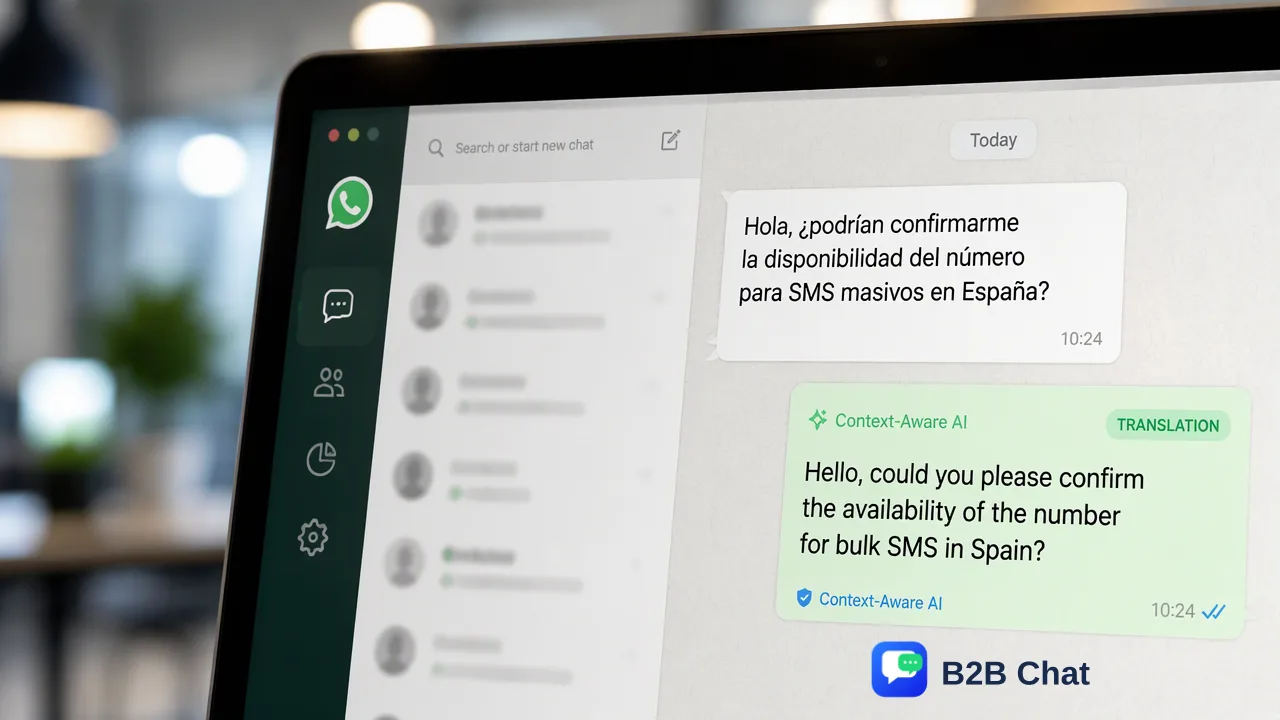
Explore live chat best practices that balance real-time response speed with context-aware support, channel centralization, and multi-language communication.
Optimizing live chat requires moving beyond raw response speed to deliver context-aware, structured communication. Modern live chat best practices focus on centralizing messaging channels into a single workspace, deploying AI to assist first-line inquiries by interpreting intent from conversation context, and maintaining human oversight for complex interactions. When teams eliminate fragmented app switching and communicate seamlessly across languages, they improve customer resolution quality while keeping operational overhead low.
The Evolution of Live Chat: Moving Beyond Raw Speed
Fast initial response times are vital in digital customer interactions, especially when buyers encounter purchase questions that might otherwise lead to cart abandonment. When customers do not receive timely answers during checkout or onboarding, drop-off rates increase significantly. Merely firing off an instant, generic greeting does little to address customer intent. Modern live chat best practices emphasize combining promptness with deep situational context. Support teams must understand the user's inquiry history, communication channel, and specific intent to provide meaningful answers. Shifting the primary metric from pure reply velocity to first-contact resolution quality helps organizations build sustainable customer trust while reducing back-and-forth friction.
Centralizing Multi-Channel Operations for Workflow Efficiency
Modern consumers engage across diverse social messaging networks rather than relying exclusively on embedded website widgets. Global audiences frequently reach out through WhatsApp, Telegram, and LINE. When support agents must manage these conversations across separate browser tabs, mobile devices, and native apps, operational friction multiplies. Managing multiple accounts from a single client eliminates disjointed communication channels. Operating through a downloadable desktop client for Windows or macOS provides agents with a unified view of incoming chats across networks. | Operational Factor | Disconnected Multi-App Workflow | Unified Messaging Workspace | | :--- | :--- | :--- | | Account Access | Frequent switching between tabs and phones | Consolidated access for WhatsApp, Telegram, and LINE | | Context Visibility | Siloed message histories across distinct apps | Aggregated conversation timeline in one desktop interface | | Team Coordination | Disjointed oversight with fragmented logins | Standardized operator workflows across platforms | | Platform Flexibility | Dependent on individual browser sessions | Native desktop client available on Windows and macOS | Consolidating these touchpoints into a unified messaging workspace helps teams monitor inbound volume, prevent missed messages, and maintain consistent quality across all supported channels.
Leveraging Context-Aware AI for First-Line Inquiries
Rigid automation scripts often frustrate customers because traditional decision-tree chatbots cannot process open-ended phrasing or evolving requests. When automated flows fail to interpret intent, customers are left repeating themselves. A more effective approach integrates AI customer service to assist and automate first-line interactions based on conversation context. Rather than matching keywords against fixed scripts, context-aware AI evaluates incoming message text against previous exchanges to determine user intent. This capability supports operations in two primary ways:
- Automated First-Line Resolutions: Routine inquiries regarding order updates, operating hours, or basic policies can be answered immediately with natural, contextually accurate phrasing. 2. Agent Co-Pilot Assistance: For nuanced scenarios, AI assistance helps draft proposed responses based on dialogue context, which human staff can review and refine before sending. This division of labor preserves human empathy for complex customer problems while streamlining high-volume, repetitive inquiries.
Breaking Language Barriers in Global Support Operations
As cross-border ecommerce and international services expand, customer communication frequently spans multiple linguistic backgrounds. When prospective buyers cannot get immediate support in their preferred language, conversion momentum stalls. Standard machine translation often produces awkward phrasing because it evaluates isolated sentences. In contrast, context-aware translation adjusts vocabulary and tone to match the ongoing customer interaction. Automated detection across 200+ languages supports global teams by removing the barrier of manual language selection. Integrating automated translation into live chat workflows helps customer-facing teams handle cross-border conversations directly from their desktop client. Agents can read inbound queries in their working language and reply with translated phrasing adapted to the regional dialect and conversational context of the recipient.
FAQ
How can support teams balance automation with a personal touch in live chat?
Teams balance automation and empathy by using AI for first-line intent recognition and context assessment rather than rigid, repetitive canned replies. When an automated system interprets conversation history to draft context-appropriate responses, human agents can review, refine, and handle nuanced customer issues without sounding robotic.
Why is a unified messaging workspace critical for multi-channel support operations?
Operating separate web sessions or device windows for WhatsApp, Telegram, and LINE introduces communication lag and context fragmentation. A unified desktop workspace on Windows or macOS aggregates multiple accounts into a single interface, helping teams track incoming inquiries uniformly and maintain standardized response protocols.
How does context-aware translation assist cross-border customer communication?
Standard literal translation can miss localized idioms or conversation nuance. Context-aware AI translation automatically detects languages across 200+ languages and adapts expressions according to conversation history, helping support teams communicate naturally with international customers without hiring native speakers for every territory.
Learn More
Choose the product information that fits the next step in your workflow.