Moving from Shared Mailboxes to Team Queues: A Guide to Scaling Customer Communication
Learn how to transition from shared mailboxes to a structured team email management workflow. Centralize messaging, improve visibility, and scale support.
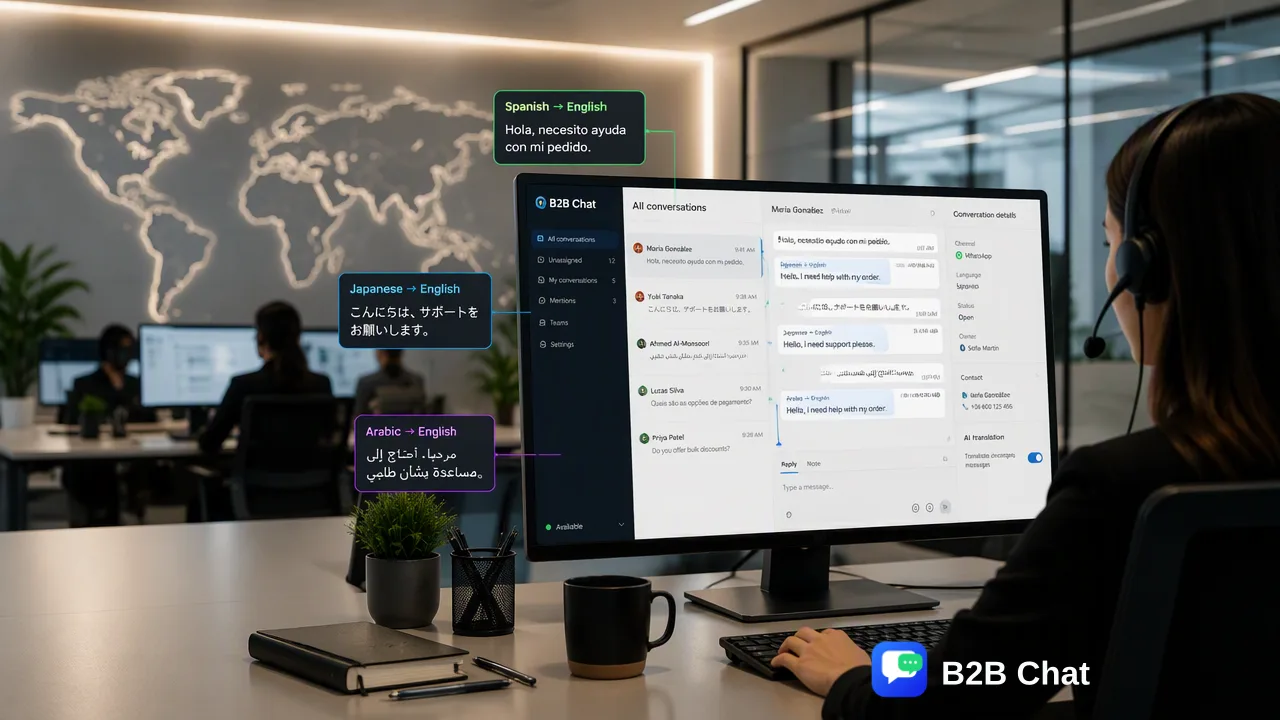
Learn how to transition from shared mailboxes to a structured team queue system. Discover workflows for centralizing messaging, improving visibility, and scaling support.
Shared mailboxes often become bottlenecks as teams scale because they lack clear ownership, status visibility, and performance tracking. Transitioning to a structured team email management workflow—where messages are centralized, categorized, and assigned—allows organizations to maintain response quality and accountability. By leveraging centralized messaging workspaces and AI-assisted triage, teams can reduce coordination friction and improve overall communication efficiency. Moving away from unmanaged, high-friction shared inboxes toward a queue-based system provides the visibility necessary to handle global customer inquiries without duplicating efforts or dropping conversations.
The Limitations of Shared Mailboxes
While this setup works for small operations, it quickly fails as message volume grows. The primary breakdown occurs not because of capacity issues, but due to a lack of clear ownership and status tracking. When multiple agents access the same inbox, it becomes difficult to determine who is handling which thread, how long a message has been open, or whether a response has already been drafted. Team members spend valuable time checking if a colleague has replied, leading to duplicated efforts or, conversely, ignored messages where everyone assumes someone else is handling the issue. This operational friction degrades the customer experience and makes it impossible to measure individual or team performance accurately.
Identifying the Transition Point
Organizations must recognize when their current communication setup is no longer sustainable. The critical transition point for moving to a dedicated team queue system is when coordination friction exceeds the time spent on actual communication. If support agents spend more time organizing folders, asking colleagues about message statuses, or searching for context than they do resolving customer issues, the shared inbox model has reached its limit. A structured team queue replaces this chaos with a workflow where incoming messages are centralized, categorized, and assigned to ensure accountability and visibility. Recognizing this transition point early helps teams avoid severe backlogs. It signals the need for a professional shared inbox environment that provides immediate visibility into thread ownership, response times, and overall queue health.
Building a Scalable Team Queue Workflow
Establishing a professional communication system requires centralizing channels and defining clear operational metrics. A highly effective team email management workflow eliminates the need for agents to constantly switch between different applications or devices. For example, teams managing global messaging can centralize multiple WhatsApp and Telegram accounts into a single desktop client. B2B Chat supports WhatsApp and Telegram account aggregation in a single desktop client, allowing teams to connect and operate multiple accounts from one downloadable application for Windows or macOS. Once channels are centralized, the workflow must provide visibility into who is handling which thread and how long it has been open. This structured queue ensures that every incoming message is assigned an owner. Key performance metrics should then focus on response time and backlog volume rather than raw activity counts. Tracking how quickly a queue is cleared and how long customers wait for a first reply provides a much more accurate picture of operational health than simply counting the total number of messages sent.
Leveraging AI for First-Line Support
As message volumes scale, human teams benefit from intelligent triage and automated assistance. AI customer service tools can assist by interpreting intent from conversation context to support automated first-line responses. Instead of agents manually reading and categorizing every routine inquiry, the system can identify the customer's core need and assist with the initial reply, reserving human intervention for complex troubleshooting. For global operations, language barriers can further complicate queue management. AI translation helps break down these barriers by automatically translating incoming and outgoing messages. B2B Chat provides AI translation covering over 200 languages, allowing support teams to handle international queues without requiring native speakers for every region. By combining centralized account management with AI-assisted intent understanding and translation, organizations can scale their customer communication workflows efficiently while maintaining high response quality.
FAQ
Why is a shared mailbox inefficient for large teams?
When multiple team members access the same account, it creates coordination friction. Agents cannot easily see who is handling which thread, leading to duplicated responses or ignored messages. Adding more staff to this unmanaged environment only increases the friction, making it difficult to scale operations efficiently.
What metrics should organizations track to measure communication efficiency?
Instead of focusing on raw activity counts, organizations should track response time and backlog volume. A structured team queue provides visibility into how long a thread has been open and who is handling it. Monitoring these metrics helps teams understand their actual operational capacity and identify bottlenecks in the workflow before they impact the customer experience.
How does AI assist in managing high-volume customer inquiries?
AI assists by handling routine triage and initial replies, reducing the manual workload on human agents. AI customer service tools interpret customer intent from incoming messages and conversation context to assist automated first-line responses. Additionally, AI translation covering over 200 languages helps global teams manage international inquiries seamlessly without needing to route messages to specific language specialists.