Automating Patient Communication: A Guide to WhatsApp Workflows for Healthcare
Learn how healthcare organizations use WhatsApp automation and centralized messaging workspaces to manage patient communication and reduce administrative burden.
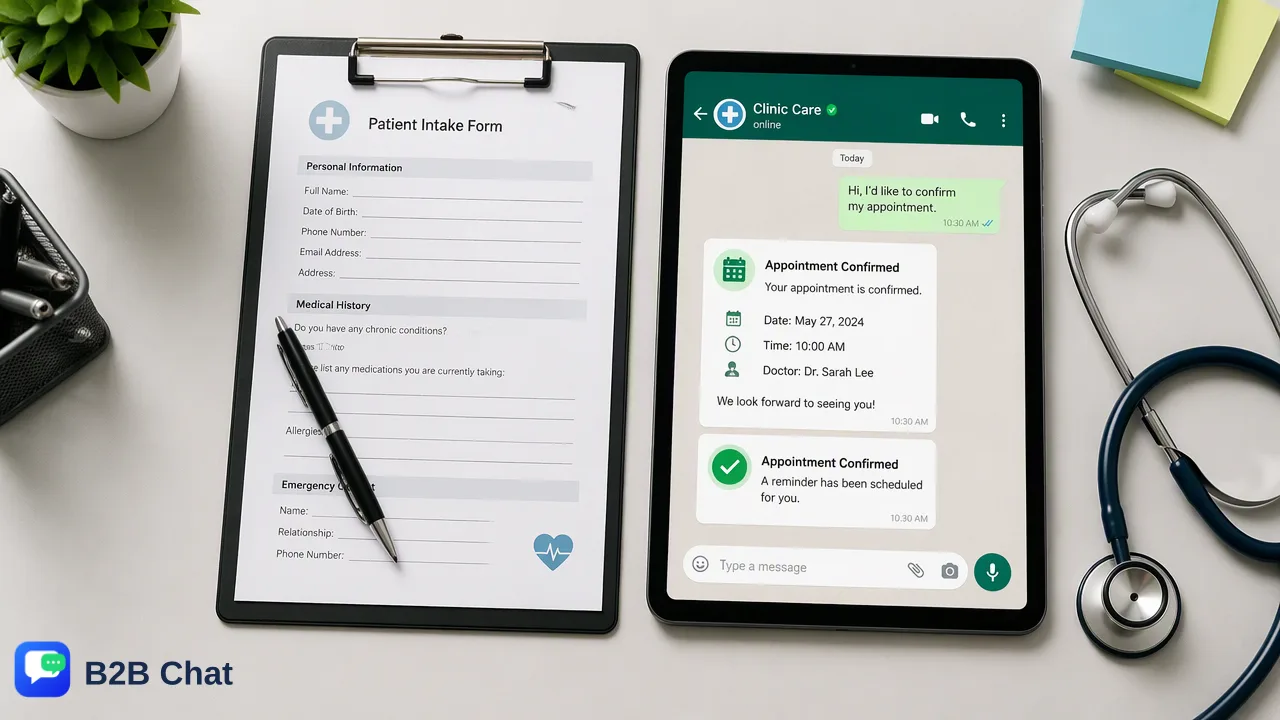
Discover how healthcare organizations can reduce administrative burden by implementing WhatsApp automation and centralized messaging workspaces for routine patient communication.
Healthcare organizations can significantly reduce administrative overhead by automating routine patient interactions like appointment scheduling and frequently asked questions via WhatsApp. By utilizing a centralized messaging workspace with AI-driven intent recognition, clinics can ensure timely responses while reserving human clinical staff for sensitive, high-value patient discussions. This approach supports operational efficiency and helps maintain professional patient communication standards without compromising the quality of care. Implementing WhatsApp automation for healthcare requires clear boundaries between automated first-line administrative support and human-led clinical triage, ensuring that technology assists rather than replaces medical professionals.
The Role of Automation in Modern Healthcare Communication
Healthcare providers face an increasing volume of daily patient inquiries, ranging from simple scheduling requests to complex clinical questions. As patients increasingly prefer mobile messaging over traditional phone calls, WhatsApp serves as a primary channel for patient engagement in many global markets. However, managing these incoming messages manually can overwhelm administrative staff, leading to delayed responses and operational bottlenecks at the front desk. Automation should focus on administrative tasks to free up clinical time. By delegating routine coordination to automated workflows, healthcare teams can prioritize urgent care and complex patient needs. A structured approach to messaging automation helps clinics manage high query volumes, standardize their outreach, and ensure that patients receive immediate acknowledgment of their requests. Transitioning from synchronous phone calls to asynchronous, automated messaging allows administrative teams to handle multiple patient inquiries simultaneously, improving overall clinic efficiency.
Identifying High-Value, Low-Risk Automation Opportunities
When deploying WhatsApp automation for healthcare, organizations should begin with high-value, low-risk interactions. Appointment scheduling, cancellation processing, and routine FAQs are ideal candidates for automation. Patients frequently ask about clinic operating hours, location directions, accepted insurance networks, and pre-visit preparation requirements. These repetitive queries do not require clinical judgment and can be resolved instantly through automated workflows, reducing the administrative burden on front-desk personnel. To handle these interactions effectively, AI customer service tools can interpret intent from incoming messages to assist with automated first-line responses. Instead of relying on rigid keyword menus that often frustrate users, intent-understanding capabilities analyze the conversation context to determine what the patient needs. For example, if a patient types "I need to change my visit for tomorrow," the AI recognizes the rescheduling intent and can trigger the appropriate automated response or routing rule. This ensures consistent, accurate replies for administrative tasks while filtering out noise before it reaches human staff. By accurately categorizing inbound messages, the system helps clinics prioritize their daily communication workflows.
Centralizing Patient Communication Workflows
Healthcare organizations often struggle with fragmented communication channels, leading to missed messages and inconsistent patient experiences. Centralizing patient communication workflows into a single interface resolves these operational bottlenecks. B2B Chat provides a centralized workspace for managing WhatsApp, Telegram, and LINE accounts. By connecting and operating multiple messaging accounts from a single downloadable client—available for Windows and macOS—administrative teams can monitor all inbound patient traffic without switching between different devices or browser tabs. Managing multiple messaging accounts in one workspace improves team coordination and oversight. Administrators can track conversation history, apply consistent messaging templates, and ensure professional outreach across all channels. This centralized approach is particularly useful for large clinics or hospital networks that operate multiple departmental numbers. A unified desktop client allows staff to handle high-volume messaging efficiently, ensuring that no patient inquiry is overlooked during busy shift transitions. Furthermore, centralizing these channels provides management with better visibility into communication response times and overall administrative performance, supporting continuous operational improvement.
Maintaining the Human-AI Balance
While automation streamlines administrative coordination, sensitive clinical discussions must remain human-led. Establishing a strict boundary between automated first-line responses and human clinical support is essential for maintaining patient trust and safety. AI should act as a support tool for first-line responses, not a replacement for clinical judgment. Automated workflows should be configured to recognize when a conversation requires human intervention. If a patient's message contains keywords related to symptoms, pain, medication side effects, or urgent care needs, the system must route the conversation to a qualified healthcare professional. The centralized workspace allows human staff to review the automated conversation context before taking over the chat, providing them with necessary background information without asking the patient to repeat themselves. This hybrid model ensures that patients receive immediate administrative assistance while guaranteeing that all medical advice, diagnostic discussions, and sensitive test result communications are handled exclusively by trained clinical personnel. Maintaining this separation protects both the patient and the healthcare provider.
Best Practices for Implementation
Successful implementation of WhatsApp automation for healthcare requires careful planning and adherence to operational best practices. One critical consideration is supporting diverse patient demographics. Healthcare providers in global or metropolitan markets often serve patients who speak various languages, which can complicate administrative coordination. Organizations can use AI translation to support diverse patient populations. B2B Chat features AI translation that automatically detects and translates customer messages across 200+ languages, with the translation expression adjusted based on conversation context. This capability allows administrative staff to communicate clearly with non-native speakers without requiring third-party translation services or bilingual staff for basic scheduling tasks. Additionally, organizations should ensure messaging workflows are integrated with existing patient management systems for data consistency. While the messaging workspace handles the communication layer, staff must maintain accurate records of appointments and patient interactions within their primary health records infrastructure. Establishing clear standard operating procedures for how staff document automated interactions ensures that the entire care team has visibility into patient communications. Regular audits of automated responses and translation accuracy further help maintain high service quality and professional standards across all patient touchpoints.
FAQ
Which types of patient interactions are best suited for WhatsApp automation?
Routine administrative tasks such as appointment scheduling, rescheduling, cancellation processing, and answering frequently asked questions are ideal for automation. Queries about clinic hours, location directions, and pre-visit preparations are low-risk interactions that do not require clinical judgment and can be handled efficiently by automated workflows.
How can healthcare providers ensure patient trust when using AI-driven messaging?
Providers can maintain trust by keeping sensitive clinical discussions human-led. AI should only be used to assist with automated first-line responses for administrative tasks. Any inquiries regarding symptoms, diagnoses, medication side effects, or medical advice must be routed to human clinical staff, ensuring that patients always receive professional medical oversight when needed.
What are the benefits of using a centralized workspace for patient communication?
A centralized workspace allows teams to manage multiple messaging accounts, including WhatsApp, Telegram, and LINE, from a single interface. This reduces tool switching, improves team coordination, and ensures consistent, professional outreach using standardized messaging templates. It also provides a unified view of patient interactions across different channels.
How does AI translation support healthcare communication in diverse regions?
AI translation automatically detects and translates incoming messages across over 200 languages. By adjusting translation expression based on conversation context, it helps administrative staff communicate effectively with diverse patient populations. This ensures that non-native speakers can easily schedule appointments and receive administrative support without language barriers.