How to Execute Compliant WhatsApp Bulk Messaging Campaigns: A Workflow Guide
Discover how to execute compliant WhatsApp bulk messaging workflows using account aggregation, AI translation, and automated intent-based reply routing.
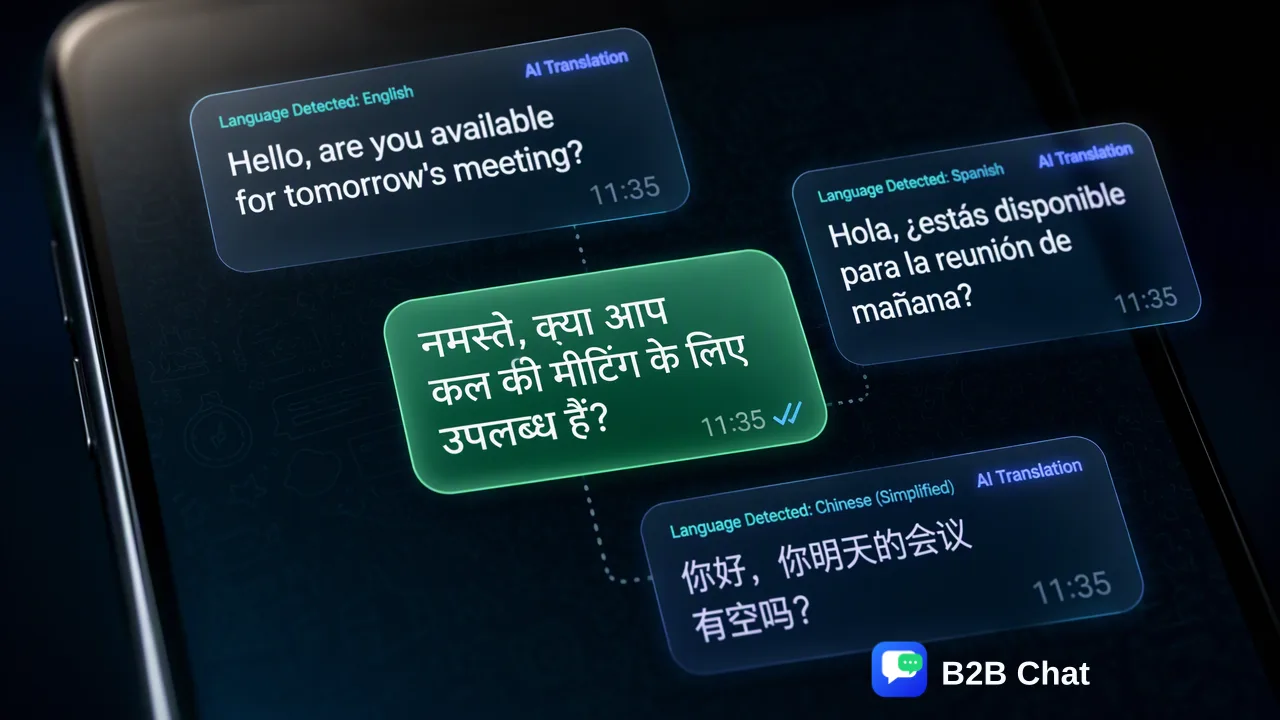
Learn how to build a compliant WhatsApp bulk messaging workflow by transitioning from manual broadcasting to centralized workspace management, context-aware AI translation, and intent-driven reply automation.
Executing a compliant WhatsApp bulk messaging workflow requires moving away from manual broadcast lists toward a centralized, professional operational structure. A compliant strategy pairs verified opt-in contact management with structured message templates, centralized multi-account coordination, context-aware language translation, and automated reply triage. This structured workflow helps cross-border support and marketing teams manage outbound communication systematically while maintaining message quality and adhering to platform acceptable-use guidelines.
The Operational Shift from Manual Apps to Centralized Messaging
Managing outreach through manual phone applications creates operational friction for expanding organizations. When marketing and support teams rely on separate handheld devices or basic broadcast tools, campaigns suffer from fragmented contact records, inconsistent brand messaging, and poor visibility into incoming conversations. A scalable WhatsApp bulk messaging workflow shifts campaign management from manual mobile tools to structured desktop workspaces. This shift establishes centralized message tracking, consistent templates, and auditable operational workflows. By moving campaign execution into a managed environment, teams can coordinate outreach schedules, monitor conversation queues, and maintain systematic records without juggling multiple physical devices.
Core Elements of a Compliant Messaging Strategy
Compliance in bulk outbound messaging rests on verifiable user consent and disciplined recipient segmentation. Reaching out without clear permissions risks spam reports, lower sender reputation scores, and platform enforcement actions. Structuring your audience pipeline protects account stability and preserves customer trust. | Workflow Phase | Operational Focus | Key Compliance Requirement | | :--- | :--- | :--- | | Audience Ingestion | Consent verification | Explicit opt-in records captured via web forms, purchases, or inbound chats | | Contact Segmentation | Attribute matching | Segmenting audiences by location, language, and historical interaction | | Template Preparation | Standardized messaging | Pre-approved templates with clear value propositions and opt-out options | | Inbound Triage | Response routing | Automated first-line replies backed by human escalation pathways | Audience segmentation ensures that recipients receive only relevant information tailored to their specific needs or transactional history. By categorizing recipients before campaign execution, organizations minimize unwanted outreach and improve engagement quality across varied customer segments.
Centralizing Operations with Desktop Account Aggregation
Large-scale communication across diverse regions often requires managing multiple regional sender profiles or distinct support lines. Running multiple accounts across different physical browsers or phones creates logistical overhead and slows operator response times. Dedicated messaging workspaces address this bottleneck by aggregating accounts into a unified desktop client available for Windows and macOS. B2B Chat supports connecting and operating multiple WhatsApp, Telegram, and LINE accounts from one interface. The platform architecture provides fully open ports with unlimited registrations, without stated port quantity limits or usage-duration caps. This centralized multi-login structure helps operators switch seamlessly between customer dialogues, review concurrent campaign queues, and maintain unified team oversight from a single workstation.
Scaling Global Messaging with Context-Aware AI Translation
Cross-border marketing and customer support encounter immediate language barriers when campaigns expand into international territories. Literal, word-for-word machine translation often introduces tone errors or misinterprets regional colloquialisms, weakening customer rapport. To bridge linguistic gaps across global customer bases, B2B Chat incorporates automated AI translation covering more than 200 languages. Rather than relying on rigid phrase matching, the system automatically detects incoming languages and adjusts translation expressions based on the full conversation context. This real-time translation capability helps support teams read incoming inquiries and compose outbound responses in the customer's native language, supporting smooth cross-border engagement across global markets.
Managing Campaign Inquiries with AI Customer Service Assistance
A bulk messaging campaign does not conclude when messages are dispatched; managing the subsequent influx of replies is critical to maintaining sender reputation and customer satisfaction. When hundreds of recipients respond simultaneously, unassisted human operators face severe response bottlenecks. B2B Chat provides Smart Customer Service capabilities designed to interpret customer intent from message context and incoming text. The system assists first-line operations by triggering relevant automated answers to recurring inquiries, such as product inquiries, status updates, or basic business details. For nuanced or high-value discussions, human agents step in to oversee the dialogue, combining automated first-line efficiency with expert human review.
A Step-by-Step Execution Framework for WhatsApp Campaigns
A reliable messaging campaign follows a structured sequence that balances message preparation, operational oversight, and post-campaign analysis:
- Data Hygiene and Consent Verification: Review recipient lists to confirm valid opt-in consent and remove duplicate or inactive contact entries. 2. Message Structuring: Develop clear, value-focused message copy tailored to recipient needs, avoiding aggressive promotional phrasing that triggers user spam reports. 3. Channel Configuration: Log in to verified sender profiles through the desktop client on Windows or macOS to ensure all outbound channels are active and monitored. 4. Controlled Dispatch: Execute outbound outreach in disciplined batches rather than unmonitored bursts, giving operators capacity to review immediate responses. 5. Automated Triage and Follow-up: Deploy intent-based AI assistance to manage immediate incoming replies, while escalating complex customer requirements to specialized agents. Following this methodical workflow helps organizations maintain high standards of communication, safeguard channel health, and create predictable customer engagement.
FAQ
Why do organizations transition away from manual messaging apps for outbound campaigns?
Organizations transition away from manual messaging apps because decentralized messaging creates visibility gaps, lacks standardized oversight, and makes tracking customer responses across distributed teams difficult. Centralized workflows help teams coordinate outreach and maintain consistent customer records.
How does context-aware AI translation support cross-border WhatsApp campaigns?
Context-aware AI translation automatically detects inbound and outbound languages across more than 200 languages. By analyzing conversation context rather than translating word for word, it helps global teams communicate with regional audiences naturally and accurately.
Can teams coordinate multiple messaging channels alongside WhatsApp in a single workspace?
Yes. A centralized social-messaging workspace supports aggregating multiple accounts across WhatsApp, Telegram, and LINE within a single downloadable client on Windows and macOS, helping operators reduce tool switching.
How does intent-based AI assistance streamline high-volume campaign replies?
Intent-based AI analyzes conversation context and incoming message content to interpret user intent. It assists first-line responses by providing timely, relevant information automatically, while routing complex inquiries to human specialists for detailed review.
Learn More
Choose the product information that fits the next step in your workflow.