WhatsApp Business API Verification Guide: Messaging Before and After Approval
Explore how to start messaging on the WhatsApp Business API before Meta verification, including sending limits, setup steps, and scaling after approval.
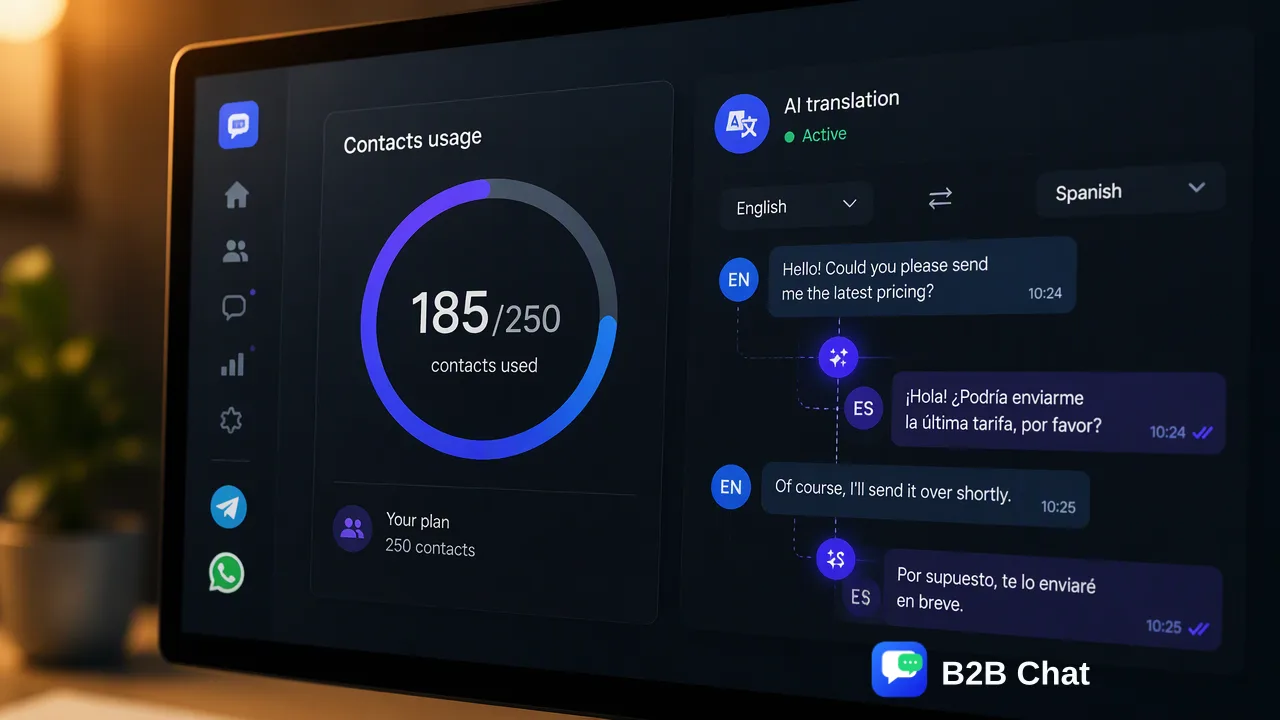
Learn how organizations can connect the WhatsApp Business API, launch messaging workflows, and configure automations before Meta Business verification is completed.
Organizations can begin using the WhatsApp Business API for customer messaging, campaign testing, and automated workflows immediately upon connecting a phone number. Meta Business verification is not a prerequisite for technical onboarding or initial messaging operations. While unverified accounts operate under a messaging limit of 250 unique customers per rolling 24-hour window, teams can configure templates, connect workspaces, and test customer support automation in parallel while verification proceeds in the background.
Understanding API Connectivity Versus Business Verification
Many teams delay deploying official messaging channels under the assumption that Meta Business verification must be finalized before any customer conversation can take place. In practice, technical connectivity and organizational verification operate as independent tracks. Technical onboarding requires associating an eligible phone number with an official WhatsApp Business account. Once the number connects, the API becomes functional immediately for inbound reception and limited outbound messaging. Meta Business verification, by contrast, is a compliance review where Meta evaluates corporate documentation, legal entity registration, and domain authority to validate organizational authenticity. Because these tracks run asynchronously, verification functions as a background administrative process rather than an onboarding roadblock. Teams can launch pilot support queues, validate internal integration pipelines, and establish conversational protocols on day one.
Operational Scope and Limitations During the Unverified Phase
Operating an unverified WhatsApp Business API account provides substantial utility for early-stage rollout, provided teams respect the standard operating boundaries set by the platform. | Capability Area | Unverified Account Status | Post-Verification Status | | :--- | :--- | :--- | | Daily Unique Recipients | 250 unique customers per rolling 24-hour window | Scales upward based on volume and quality ratings | | Inbound Customer Care | Fully operational for customer-initiated chats | Fully operational with expanded concurrent scale | | Template Submission | Message templates can be submitted and tested | Full template creation with broader delivery scale | | Automation & Routing | Automated response and routing rules fully configurable | Unrestricted production automation | The core limitation during the pending phase is the ceiling of 250 unique customer interactions initiated per 24 hours. This cap applies specifically to business-initiated outreach across unique phone numbers. For customer support teams handling inbound inquiries or piloting regional outreach, 250 daily contacts offer ample headroom to test conversational routing, response speed, and agent collaboration.
Configuring Workspaces, Automations, and Multi-Channel Routing
Rather than treating the verification window as idle downtime, organizations can establish their messaging architecture and configure operational tooling. Integrating the connected number into a centralized workspace allows agents to manage incoming conversations without waiting for compliance clearance. In multi-account environments, platforms like B2B Chat provide downloadable desktop workspaces on Windows and macOS to centralize WhatsApp, Telegram, and LINE operations in a single interface. Connecting accounts into a unified client helps teams reduce tool switching and coordinate cross-border customer interactions. During this setup window, teams can configure two core automation capabilities:
- First-Line Customer Support Assistance: AI-assisted customer service workflows can be established to interpret incoming message context and customer intent. This assists human agents by generating automated first-line replies or routing inquiries to specialized queues. 2. Context-Aware Multilingual Handling: Cross-border operations often require communicating across different regions. Integrating AI translation that detects languages across 200+ languages and adapts phrasing to conversational context ensures that regional support remains seamless from the very first incoming inquiry. Testing these workflows against low-volume interactions ensures agent readiness before high-volume messaging commences.
Scaling Messaging Capacity Following Verification
Completing Meta Business verification lifts the unverified 250-contact boundary, enabling the account to expand its daily reach. Verification validates business legitimacy, signaling to the messaging network that the account represents a vetted enterprise entity. Following approval, capacity growth operates on an automated tiering model governed by sending volume and phone number quality ratings:
- Quality Rating Maintenance: Meta monitors recipient feedback, block rates, and report frequency. Maintaining a "High" or "Medium" quality status is necessary for the system to adjust messaging ceilings upward. * Volume-Driven Expansion: When an organization consistently approaches its current daily limit while maintaining acceptable quality metrics, the platform automatically increases the daily recipient threshold over successive 24-hour windows. * Broadcast and Campaign Expansion: Once capacity scales, marketing and notification teams can deploy broader notification broadcasts without encountering the 250-recipient constraint. By laying the operational groundwork, validating templates, and establishing centralized inbox management during the unverified phase, teams position themselves to scale messaging immediately once background verification is finalized.
FAQ
Is Meta Business verification mandatory before sending messages on the WhatsApp Business API?
No, Meta Business verification is not required to initiate connectivity or start messaging. Businesses can connect their number and begin conducting two-way customer communication and outbound outreach up to the unverified limit immediately.
What messaging limit applies to an unverified WhatsApp Business API account?
Unverified accounts are restricted to initiating conversations with up to 250 unique customers within a rolling 24-hour window. Customer-initiated service conversations that fall within this window also allow businesses to respond without delay.
Can teams configure templates and automated workflows while verification is pending?
Yes. Workflow configuration, message template creation, multi-account routing, and automated first-line response rules can be fully implemented and tested while waiting for verification review.
How do messaging limits expand once verification is completed?
Once Meta Business verification concludes, messaging limits scale automatically based on sent message volume and sustained quality ratings, allowing teams to reach larger recipient cohorts as daily sending increases.
Learn More
Choose the product information that fits the next step in your workflow.