Meta One for Business: Choosing the Right Messaging Infrastructure
Evaluate WhatsApp Business Platform vs App for scaling teams. Learn how subscription bundles fit into infrastructure and when to centralize operations.
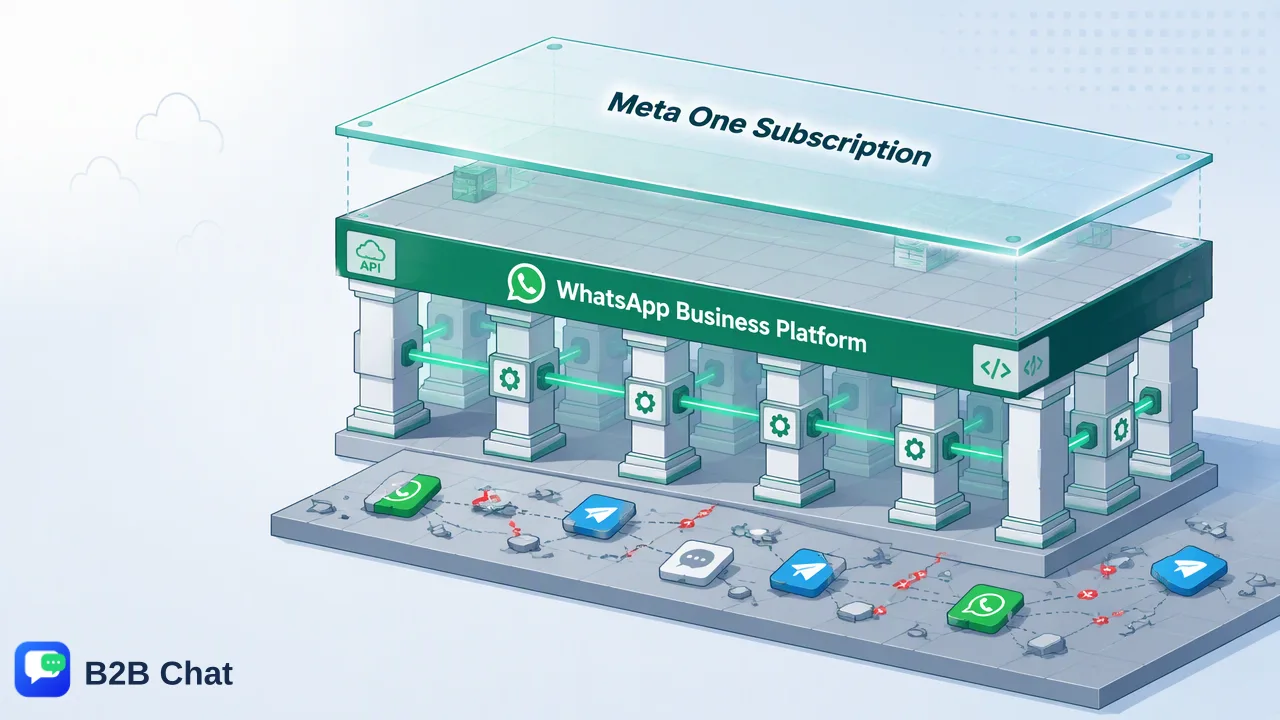
A strategic comparison of the WhatsApp Business App versus the WhatsApp Business Platform, explaining why subscription bundles do not replace scalable messaging architecture.
Choosing the right messaging infrastructure requires distinguishing between the WhatsApp Business App, built for individual operators and micro-businesses, and the WhatsApp Business Platform, designed for scalable, automated team operations. Subscription bundles such as Meta One add feature layers to existing tools, but they do not alter the core technical architecture. Organizations managing growing conversation volumes must still choose the appropriate foundation to support multi-agent routing, integrated workspaces, and automated workflows.
The Messaging Infrastructure Tipping Point
Customer communication channels often begin on mobile devices. For solo entrepreneurs and micro-businesses, the free WhatsApp Business App provides an accessible way to engage buyers, answer basic inquiries, and present a simple product catalog. Because it operates primarily as a standalone phone application, its operational model assumes a single user managing conversations directly. As inquiry volumes expand, this setup creates an operational tipping point. Multi-person teams quickly face structural constraints: conversation histories remain tethered to specific hardware, team members step over one another when responding, and management lacks central oversight over customer interactions. Scaling operations requires separating simple front-end mobile chat from an enterprise messaging architecture. Moving to the WhatsApp Business Platform provides the connectivity required to distribute chats across support specialists, connect backend systems, and automate standard workflows.
Understanding Subscription Bundles vs. Infrastructure
Recent subscription options like Meta One bundle supplementary features onto established business products. These bundles can provide helpful enhancements for specific commercial activities, but they operate strictly as a feature overlay rather than an architectural replacement. Subscribing to an enhanced tier does not convert an app-based mobile workflow into an API-driven ecosystem. Organizations must evaluate infrastructure at two distinct layers:
| Operational Dimension | WhatsApp Business App Layer | WhatsApp Business Platform Layer |
|---|---|---|
| Core Architecture | Mobile application environment | API infrastructure for system integration |
| Primary User Model | Single operator or micro-team | Distributed teams and automated services |
| Data Integration | Local device storage | Centralized workspaces and CRM systems |
| Automation Scope | Basic quick replies and away messages | Context-aware routing and AI-assisted workflows |
| Selecting a subscription package without addressing underlying infrastructure risks locking growing teams into manual processes. Infrastructure determines how data flows, how teams collaborate, and whether customer communications can scale alongside order volume. |
Operational Risks of Staying on the Free App
Relying on basic mobile applications past the tipping point introduces structural risks across everyday customer support and sales operations. When messaging is managed on individual phones, communication records remain siloed. If a device is lost, damaged, or reassigned, critical conversation context and customer history can be lost permanently. Furthermore, uncentralized messaging creates an accountability gap. Under peak inquiry loads, unassigned conversations slip through the cracks, leading to delayed replies and fragmented customer experiences. Without a centralized inbox architecture, high-volume inbound streams quickly overwhelm manual operations, capping the team's ability to maintain dependable service standards.
Evaluating Advanced Messaging Features
To maintain service quality at scale, international teams increasingly adopt specialized desktop workspaces that aggregate messaging channels. B2B Chat operates as a customer-service and social-messaging workspace delivered through downloadable Windows and macOS clients. Rather than forcing operators to switch between disconnected mobile devices, the workspace supports account aggregation and multi-login workflows across WhatsApp, Telegram, and LINE in one place. Centralizing channel access creates the foundation for advanced assistance tools. In global operations, language barriers frequently complicate rapid customer service. Within aggregated workspaces, AI translation helps teams automatically detect languages and translate incoming inquiries across 200+ languages, adjusting translation phrasing based on conversation context. In addition, AI customer-service automation interprets customer intent from message histories to assist first-line responses. Combining multi-account management with intelligent assistance supports operational throughput without sacrificing conversation context.
FAQ
What is the main difference between the WhatsApp Business App and the WhatsApp Business Platform?
The WhatsApp Business App is a standalone mobile application created for single users or micro-businesses to conduct direct, manual conversations. In contrast, the WhatsApp Business Platform provides an API infrastructure that connects messaging into dedicated workspaces, external business systems, and automated customer-service pipelines across multiple team members.
Does Meta One replace the need for the WhatsApp Business API?
No. Subscription bundles like Meta One introduce add-on capabilities to existing products, but they do not replace underlying API infrastructure. Teams that require programmatic message routing, multi-login desktop environments, and deep integration with broader customer communication stacks still require platform-level architecture.
When should an organization transition to a centralized messaging workspace?
A team reaches a tipping point when manual handling on a single device causes response bottlenecks, message concurrency issues, or operational blind spots. Transitioning to a centralized desktop workspace becomes practical when staff must manage high chat volumes across multiple accounts or channels, such as WhatsApp, Telegram, and LINE, from a coordinated operational hub.
Learn More
Choose the product information that fits the next step in your workflow.