Optimizing Your WhatsApp Business Profile: A Guide to Professional Descriptions and Identity
Learn how to optimize your WhatsApp business profile description to build customer trust, clarify your value proposition, and scale messaging operations.
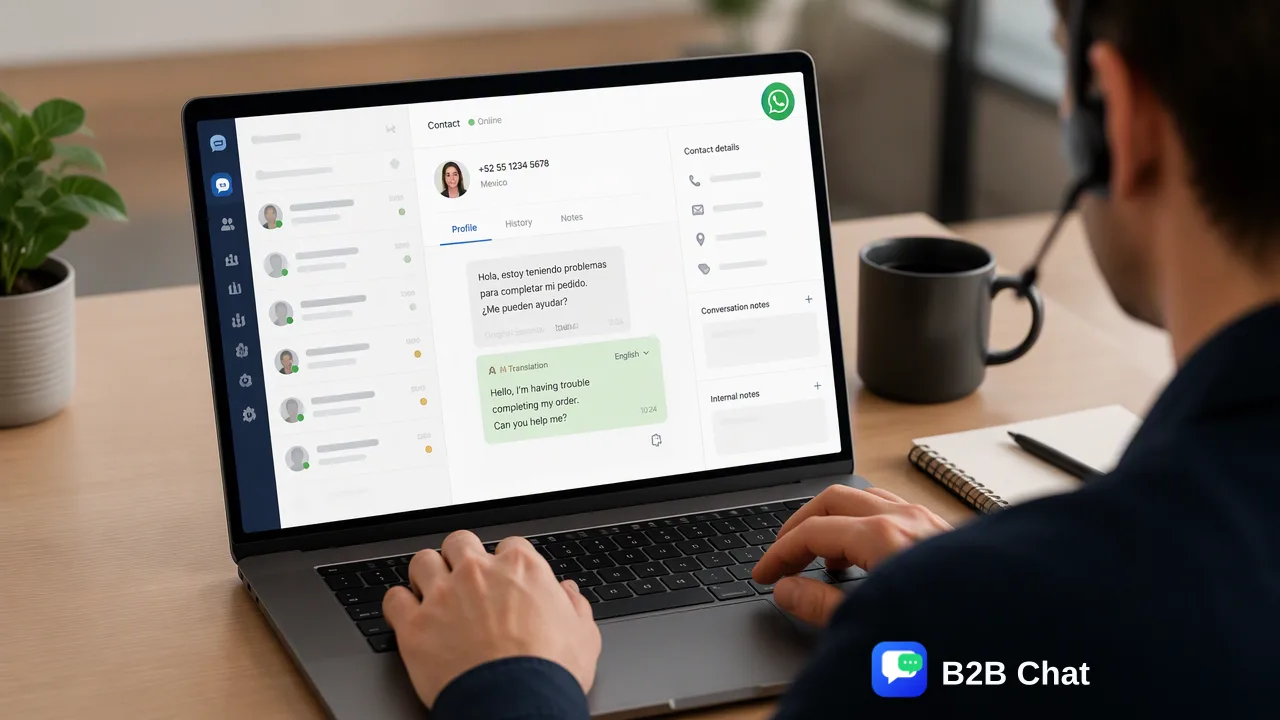
Learn how to craft an effective WhatsApp Business profile description that builds customer trust, establishes clear brand identity, and streamlines messaging workflows.
A professional WhatsApp business profile description serves as an organization's digital storefront on the platform, establishing brand identity and setting expectations for incoming inquiries. By clearly communicating industry focus, operating scope, and primary contact details, businesses reduce conversation friction and build early trust with prospective clients. Organizations scaling across multiple lines or regions can maintain consistent profile standards and operational responsiveness by pairing clear profile copy with centralized multi-account workspaces and context-aware messaging assistance.
The Role of the Business Description in Customer Trust
For prospective customers initiating contact on WhatsApp, the business profile description represents the primary trust signal. When a user navigates to a new chat window or taps on a contact card, the description confirms who the organization is and what services it provides before any conversation takes place. A complete and well-structured description reassures users that the channel is authentic, operational, and professionally monitored. In contrast, an empty or vague profile creates hesitation, often causing potential leads to abandon outreach. Clarifying communication expectations—such as typical business hours or self-service links—helps set realistic boundaries for response times and guides contacts toward productive dialogue.
Essential Elements of an Effective Profile Description
Crafting a high-performing profile requires balancing brevity with essential commercial information. WhatsApp limits description space, making concise phrasing vital for fast comprehension. To maximize effectiveness, organizations should incorporate five foundational elements into their profile presentation:
- Core Value Proposition: A concise sentence explaining what your company does and who it serves. - Industry Classification: A clear category label to anchor business context immediately. - Operating Schedule: Stated working hours or average response windows to establish realistic turnaround expectations. - Physical Address: Street or regional location details for local retail or regional service centers. - Official Digital Links: Direct URLs to your primary website, product catalog, or customer portal. The tone should match existing marketing and support touchpoints. Organizations can structure their copy according to their business model:
Business Model Focus Area Description Template Example Retail & E-commerce Catalog access, store hours, order assistance "Official WhatsApp channel for [Brand]. Shop new arrivals, track orders, or visit us Mon-Sat 9am-8pm. Catalog: [Website Link]" B2B & SaaS Core capability, enterprise support hours, portal links "Enterprise social messaging solutions. Assisting global teams with multi-account workflows. Support: Mon-Fri 8am-6pm UTC. Visit: [Website Link]" Professional Services Consultation scope, appointment scheduling "Certified consulting and corporate services. Book your consultation or review practice areas at [Website Link]. Replies within 1 business day."
Scaling Consistent Profile Management Across Multiple Accounts
As organizations expand into cross-border ecommerce or separate distinct regional support desks, maintaining standardized profile information across dozens of handles becomes a serious operational hurdle. Discrepancies in website URLs, out-of-date hours, or inconsistent branding can dilute customer confidence. Using a centralized workspace helps support and operations teams manage multiple communication lines under unified oversight. Platforms like B2B Chat provide downloadable desktop applications for Windows and macOS that support account aggregation and multi-login functionality across WhatsApp, Telegram, and LINE. Rather than distributing physical mobile devices among staff, teams can connect multiple accounts within one desktop workspace. This centralized model assists operators in monitoring incoming volume, maintaining uniform profile standards, and reducing tool switching across disparate customer touchpoints.
Supporting Profile Inquiries with Context-Aware Automation
A well-optimized profile description encourages inbound inquiries, but customer trust depends on how quickly and accurately those inquiries receive replies. When cross-border audiences reach out in diverse languages, maintaining high response quality requires capable operational assistance. Integrating conversational automation into the messaging workspace helps teams bridge this gap without sacrificing oversight. In B2B Chat, automated first-line assistance interprets incoming message intent in context to suggest or deliver initial responses, handling repetitive queries like business hours or product catalog links while routing complex discussions to human agents. Additionally, integrated AI translation covering more than 200 languages automatically detects incoming dialects and adjusts expressions to match conversational context. This supports frontline staff in communicating clearly with international customers, ensuring that the responsiveness of the channel lives up to the professional promise established in the profile description.
FAQ
What should be included in a WhatsApp business profile description?
An effective profile description should concisely state what the business offers, its primary industry, relevant operating hours or response expectations, and a link to an official website or catalog. Keeping the text direct and aligned with broader brand messaging helps incoming contacts confirm they have reached the correct channel before sending a message.
How can teams manage multiple WhatsApp Business accounts efficiently?
Teams operating multiple regional or functional phone numbers can centralize operations through a unified desktop workspace. Solutions like B2B Chat support account aggregation and multi-login workflows across WhatsApp, Telegram, and LINE on Windows and macOS, helping operators monitor multiple conversation streams from a single interface without constant device switching.
Does AI customer service replace human support representatives?
AI customer service is designed to assist rather than replace human representatives. Within messaging workspaces, AI capabilities interpret customer intent from message context to draft or automate initial first-line responses, while human agents handle complex inquiries, exceptions, and high-value relationship management.
Learn More
Choose the product information that fits the next step in your workflow.