How to Validate WhatsApp Numbers at Scale: A Guide for Sales and Support Teams
Learn how WhatsApp number validation for business helps teams verify reachability, protect account health, and optimize sales and support workflows.
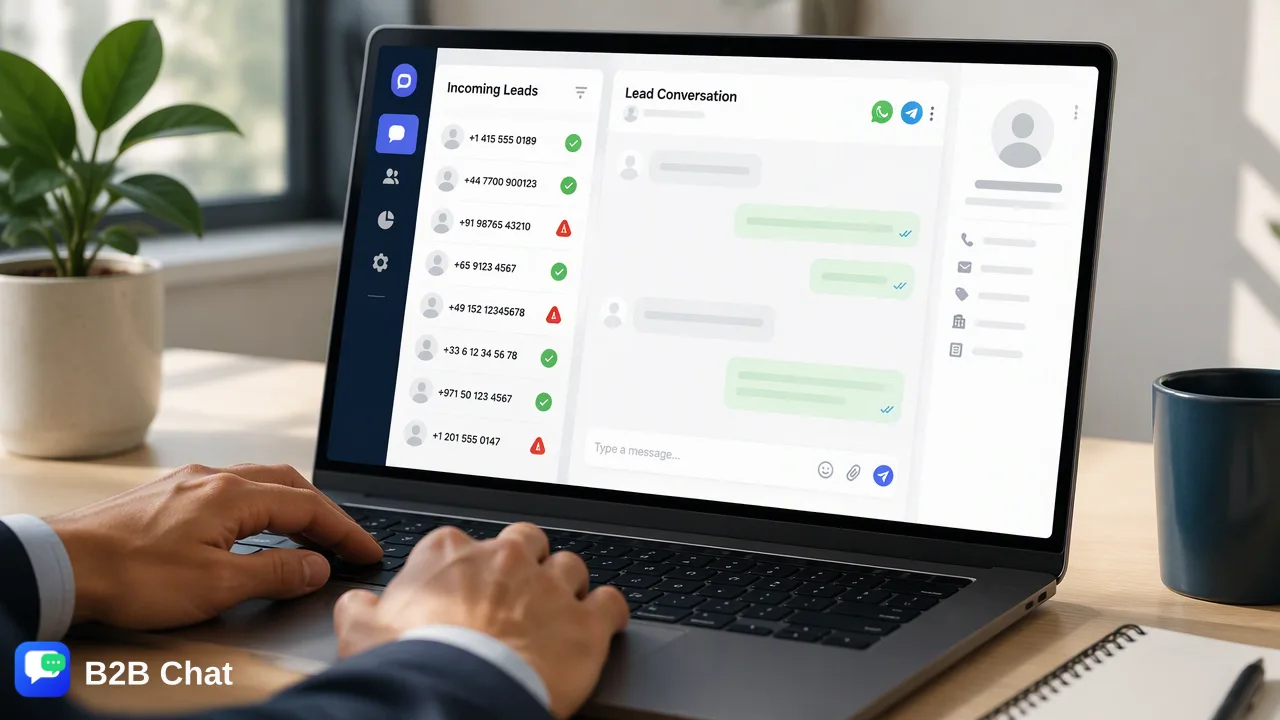
A practical guide for sales and support teams on implementing WhatsApp number validation for business, protecting account health, and streamlining multi-account workflows.
WhatsApp number validation for business is the operational process of verifying whether a phone number is registered on WhatsApp before initiating customer outreach. Validating records in bulk helps organizations identify reachable contacts, avoid sending messages to unregistered lines, support business account reputation, and optimize outbound messaging resources across sales and customer support operations.
The Importance of WhatsApp Number Validation for Business Outreach
Initiating customer conversations on social messaging channels requires precise contact data. When sales and support teams acquire prospect lists or incoming lead databases, raw phone records often contain landlines, disconnected numbers, or mobile lines that have never registered on WhatsApp. Sending messages to non-WhatsApp numbers creates immediate operational friction. Each failed delivery attempt consumes outbound messaging quotas and generates negative delivery signals. Over time, repeated messaging to unreachable endpoints can degrade the quality rating of a business phone number, leading to sending restrictions or lowered platform trust. It is vital to distinguish basic format normalization from platform-level validation:
- Format and Syntax Normalization: Confirms that a string adheres to international standards (such as country code, prefix, and digit count). * Platform Registration Validation: Verifies that an account presence actually exists on WhatsApp at the moment of the check. Format checks alone cannot confirm whether an account is operational on the platform.
Manual Verification versus Automated Bulk Lookup Methods
Teams handling contact lists often start with ad-hoc methods before moving toward automated workflows. Understanding the differences between these approaches helps operations leaders select the appropriate process for their team size. | Verification Attribute | Manual Checking | Automated Validation | | :--- | :--- | :--- | | Processing Speed | 1 to 2 contacts per minute | Thousands of records processed in minutes | | Resource Overhead | High agent labor requirement | Low operational effort | | Workflow Suitability | Low-volume, one-off lookups | High-volume sales and support campaigns | | Human Error Risk | Frequent typos and misclassifications | Consistent verification criteria | | Contact Storage | Requires saving numbers to device address books | Operates independently of local address books | Manual verification typically involves saving a phone number to a mobile device address book or opening individual click-to-chat links to see if a profile appears. While functional for single customer follow-ups, this method quickly breaks down when managing hundreds or thousands of leads. Manual checks consume valuable agent hours and introduce human error. Automated bulk validation tools inspect platform presence at scale. By checking lists in bulk, teams obtain reachability signals without manual intervention, allowing sales and customer service departments to focus effort exclusively on active channels.
Integrating Validation Signals into Messaging Workspaces
Validation is most effective when integrated directly into daily lead routing and customer communication workflows. Sales and support teams handling global customer inquiries often rely on centralized social messaging workspaces, such as B2B Chat, to connect and operate multiple messaging accounts from a unified client. Workspaces operating on Windows and macOS allow organizations to manage multi-account logins across WhatsApp, Telegram, and LINE. When validation signals are embedded into the pipeline, the operational workflow runs systematically:
- List Ingestion: Marketing, inbound lead forms, or customer databases supply raw telephone records. 2. Platform Presence Verification: Automated checks verify account existence on WhatsApp at check time. 3. Channel Routing: Verified WhatsApp numbers are routed to designated WhatsApp business accounts, while contacts on alternative platforms can be directed to Telegram or LINE workflows within the same workspace. 4. First-Line Engagement: Customer service teams initiate outreach or automated first-line replies with confidence in channel reachability. A platform-registration signal reflects account presence at check time. Teams must treat validation as a technical reachability input alongside regulatory consent and opt-in records.
Best Practices for Maintaining Contact List Hygiene
Maintaining a healthy database is an ongoing operational commitment rather than a one-time audit. Sales and support operations should implement established hygiene practices across their campaign lifecycles:
- Normalize Phone Formats Early: Ensure all incoming phone numbers include proper international country codes and standard formatting before running validation lookups. * Audit Contact Databases Periodically: Phone ownership and platform usage change over time. Regularly re-checking older databases helps detect deactivated numbers before seasonal marketing campaigns. * Honor Opt-Outs and Preferences: Even if a number has an active WhatsApp registration, sending messages without consent leads to user blocks and platform reports. Always synchronize validation status with internal suppression lists. * Use Multi-Channel Routing: When a valuable lead lacks a WhatsApp account, cross-reference their availability on Telegram or LINE to engage them through their supported channels. Applying these practices helps teams maintain high contact quality, optimize communication costs, and preserve sender standing across all business messaging channels.
FAQ
Why should organizations validate WhatsApp numbers before sending messages?
Validating numbers helps teams confirm platform presence before launching outreach campaigns. This process supports sender reputation by reducing failed delivery attempts to unregistered numbers, informs resource allocation, and keeps operational workflows focused on reachable contacts.
How does number validation support WhatsApp business account health?
High volumes of undeliverable messages sent to unregistered or inactive numbers can trigger automated quality flags from messaging platforms. By filtering out numbers that lack account presence, organizations mitigate delivery failures and support sustained sender quality ratings.
Can teams manage multi-channel messaging after verifying contact lists?
Yes. Centralized social messaging workspaces like B2B Chat support multi-account management across WhatsApp, Telegram, and LINE within a single desktop client on Windows and macOS, helping teams coordinate customer communications across supported channels once lists are verified.
Learn More
Choose the product information that fits the next step in your workflow.