Foreign Trade Customer Service Workflow: What the Team Does on WhatsApp Every Day
A daily routine for export customer service and merchandisers on WhatsApp: inquiries, quotes, factory follow-up, shipping updates and handover.
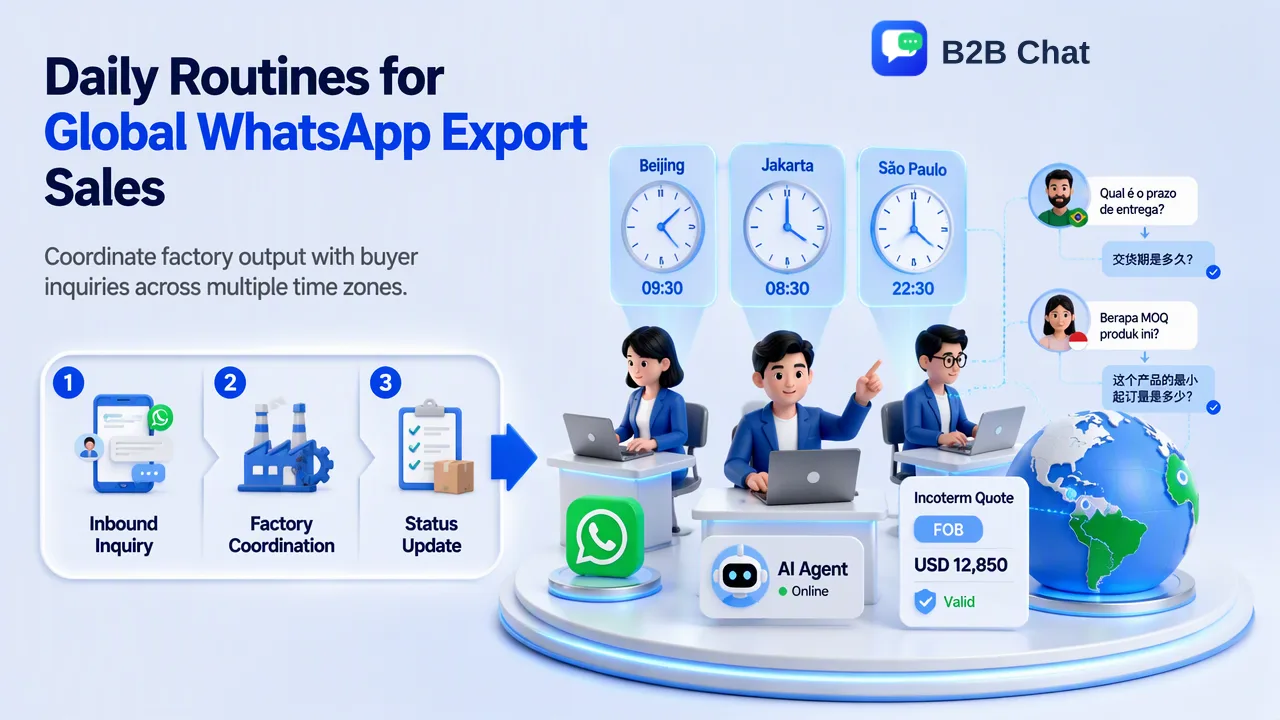
A stage-by-stage and hour-by-hour view of foreign-trade customer service work on WhatsApp, with the habits and tools that keep it organized.
A foreign trade customer service workflow on WhatsApp has two layers: the order stages every deal passes through (inquiry, quote, sample, proforma invoice, production, shipping, balance payment and after-sales) and the daily routine that keeps every open deal moving. In practice, the team clears overnight messages from buyers in other time zones each morning, chases the factory for answers during local working hours, and sends status updates before the buyer's day begins. The work stays manageable when company-owned accounts, translation and a shared reply library sit in one workspace instead of on personal phones.
The order stages a foreign trade customer service workflow covers
Job titles vary. Some companies call the role export sales assistant, others merchandiser or overseas customer service. The work underneath is similar: one person, or a small team, owns the buyer conversation from first message to after-sales, while coordinating with the factory, the forwarder and finance.
| Stage | What the buyer asks on WhatsApp | What customer service has to do |
|---|---|---|
| Inquiry | Price, MOQ, catalog, lead time | Qualify the request, confirm specs, reply the same working day where possible |
| Quotation | Unit price, trade term, validity | Quote in the company format with the Incoterm, currency and validity date stated |
| Sample | Sample cost, courier, timing | Agree what is sampled, track the courier, record the buyer's feedback |
| Proforma invoice and deposit | Bank details, PI corrections | Issue the PI, confirm the deposit with finance, lock the spec sheet |
| Production follow-up | "Is my order on schedule?" | Get dated updates from the factory, share photos, flag delays early |
| Inspection and shipping | Booking, documents, ETA | Coordinate the forwarder, send document drafts for checking, share tracking |
| Balance and release | Payment, original documents | Confirm the balance with finance before releasing documents |
| After-sales | Damage, shortages, reorders | Collect evidence, propose a resolution, log the reorder intent |
Ranking guides usually describe these stages from an ERP or import perspective. The seller-side difficulty is that a single customer service person may have twenty deals sitting at different stages at once, all arriving through the same chat app.
A daily routine across time zones
For a team in China selling to Indonesia, Mexico or Brazil, the clock shapes the work. Jakarta is one hour behind Beijing, so its buyers overlap with most of the Chinese working day. Mexico City and São Paulo buyers are mostly writing while the Chinese team is asleep, which means the first hour of the morning belongs to them.
A practical day looks like this:
- Morning sweep (first hour). Read every overnight message, sort by stage, and answer anything that only needs information the team already has: stock, lead time, document status. Note questions that need the factory.
- Factory window (late morning to afternoon). Call or message the factory with the collected questions in one batch, ask for dated answers, and request production photos for orders that buyers have asked about.
- Midday quoting. Prepare new quotations and PIs while the factory is reachable for cost confirmations.
- Afternoon updates. Send status updates to Indonesian buyers during their afternoon, and prepare Latin American updates so they arrive as their day starts.
- End-of-day log. Record each conversation's stage, the next action and its owner. A short daily report (new inquiries, quotes sent, follow-ups, orders confirmed, problems) gives the manager a view without reading every chat.
Teams that need overnight coverage for routine questions can add first-line automation; the AI customer service page describes how an AI agent handles routine replies while staff keep the cases that need judgment.
Quoting clearly so the chat does not become a dispute
Many WhatsApp disputes start in the quote. A buyer reads "USD 4.20" and assumes delivery to their warehouse; the seller meant the price at the Chinese port. The fix is to state the trade term in every quote. The ICC's Incoterms 2020 rules define which costs and risks sit with the seller and which with the buyer, and naming one (for example FOB Ningbo or CIF Manzanillo) removes most of the guesswork.
A quote message that holds up later includes:
- Product code and the spec version it refers to
- Unit price, currency and Incoterm with a named place
- MOQ and lead time counted from deposit or from sample approval
- Validity date of the price
- What is excluded, such as duties at destination
Send the formal quotation as a document and use the chat message as the short summary. When the buyer writes in Spanish, Portuguese or Bahasa Indonesia, keep numbers, codes and the Incoterm untouched in both languages and re-read the translated version before sending.
Coordinating with the factory without losing the buyer thread
The hardest part of the role is sitting between two parties who never talk to each other. A few habits help:
- One question list per factory per day. Batch questions instead of sending them one at a time as buyers ask.
- Ask for dates, not adjectives. "Almost done" cannot be forwarded to a buyer. "Packing on the 14th" can.
- Forward facts, not frustration. Translate the factory's update into a short status line for the buyer: what is done, what is next, and the date.
- Flag delays before the buyer asks. A delay reported early is a scheduling conversation; one discovered by the buyer is a trust problem.
- Keep photos and documents attached to the right customer record, so anyone covering the account can find them.
Where one workspace supports the routine
The routine above breaks down when each salesperson runs customer chats on a personal phone. Messages are scattered across devices, nobody else can cover a holiday, and history leaves with the employee. WhatsApp's own linked devices feature lets one number appear on up to four additional devices, which helps a single account but does not add seats, assignments or shared records.
B2B Chat is built around company-owned accounts. The Windows and macOS desktop client runs several WhatsApp, Telegram and LINE accounts side by side, which is described on the WhatsApp multi-account management page. For the workflow in this article, three parts matter most:
| Daily task | Workspace capability |
|---|---|
| Morning sweep across several numbers | All company accounts in one client window |
| Replying in the buyer's language | Smart Translation with automatic language detection and two-way, context-aware translation across 200+ languages |
| Consistent answers on lead time, documents, payment steps | Shared reply library in the CRM console, with greetings and keyword auto-replies |
| Covering for an absent colleague | Support seats and customer records in the CRM console |
Translation is an assistant, not a guarantee of perfect wording, so the pre-send check on numbers and trade terms still applies.
Common mistakes in export customer service chats
- Quoting without a trade term or validity date, then arguing about freight weeks later.
- Answering from memory instead of from the current spec sheet or the reply library, which spreads outdated lead times.
- Letting the factory's silence become the buyer's silence. Even "no update yet, next check Thursday" keeps the thread alive.
- Following up too often. Daily reminders after a quote read as pressure. One follow-up with a new piece of information beats three that only ask "any news?".
- Messaging people who never asked. WhatsApp's Business Messaging Policy expects businesses to contact people who gave their number and agreed to receive messages, and to honor opt-out requests. Cold lists are a fast route to user reports.
- Keeping notes in personal places. If the next action lives in one person's head, the workflow stops when that person is away.
FAQ
How can teams decide how fast to reply to overseas inquiries?
Set an internal target based on time zones rather than a single number. Buyers in nearby time zones can expect a same-day answer; buyers writing overnight should find a reply, or at least an acknowledgment with a time for the full answer, when their next working day starts.
Which Incoterm should a quote use?
It depends on who arranges and pays for transport and insurance. Name the rule and the place explicitly, such as FOB with the loading port or CIF with the destination port, and check the ICC's Incoterms 2020 definitions when the buyer is unsure what a term covers.
How can a customer service team follow up after a quote without seeming pushy?
Tie each follow-up to new information: a confirmed lead time, a sample photo, a price validity reminder. Space them out, and stop when the buyer says they are not interested.
What should be recorded at the end of each day?
For each open conversation: the stage, the next action, who owns it and the date it is due. A short summary of new inquiries, quotes, follow-ups and confirmed orders gives managers the overview they need.
Learn More
Choose the product information that fits the next step in your workflow.