WhatsApp translator: chat with overseas customers without copy-pasting into a translator
B2B Chat translates inside the chat window: messages arriving in Indonesian, Spanish or other languages are shown in your language, and what you type is sent in the customer's language. It works for WhatsApp, Telegram and LINE.
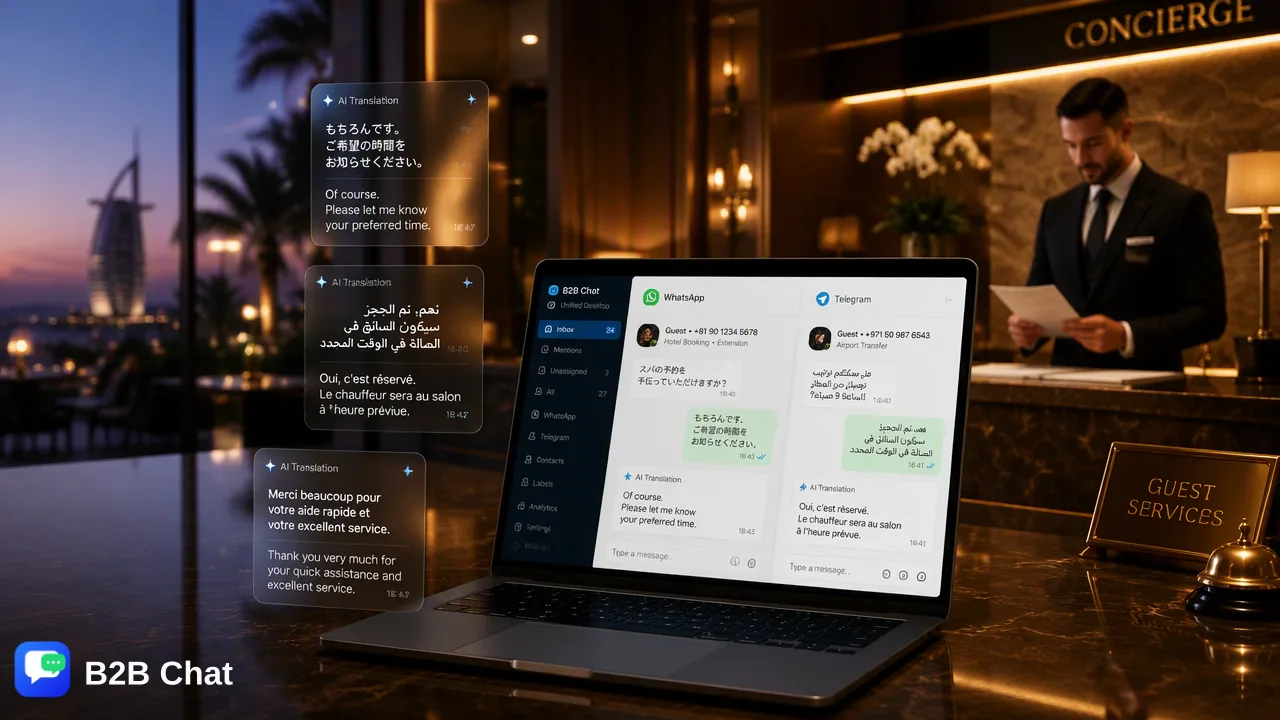
Incoming messages, translated automatically
With this on, customer messages are translated into the language you choose, and the customer's language is detected automatically. Your agents can read every message without speaking the customer's language.
Outgoing messages, translated automatically
With this on, what you type is translated into the customer's language and you can send the translation. The translation is shown first so you can check it before sending.
Language settings per conversation
Customers speak different languages. Set default languages globally, or set the source and target language for an individual conversation — the most recent setting wins.
Text inside images, too
When customers send product photos or screenshots with foreign text, the app can recognise the text in the image and translate it.
Pay per translation
Translation is billed per request, with no monthly fee, and ports are free. See the Pricing page for rates.
Get started in three steps
- 1
Log in to a WhatsApp port
Create a port in the B2B Chat app and scan the QR code to log in to WhatsApp.
- 2
Choose languages
Pick the source and target languages and enable translation for received and sent messages.
- 3
Reply in your own language
Incoming messages show their translation; type your reply in your own language.
FAQ
- Which languages are supported?
- More than 200, including Indonesian, Spanish, Portuguese, Thai and Vietnamese, with automatic detection of the customer's language.
- How accurate is the translation?
- Translation uses AI language models that take the conversation context into account, so it reads more naturally than sentence-by-sentence machine translation. Check important messages before sending.
- Does it work for Telegram and LINE?
- Yes. Automatic translation works for WhatsApp, Telegram and LINE conversations in the app.
- How is translation billed?
- Per translation request, with no monthly fee. See the Pricing page for rates.