LINE Official Account vs Personal Account for Overseas Sales
Compare LINE Official Accounts and personal accounts for overseas sales in Japan, Thailand, and Taiwan, covering messaging limits and multi-agent workflows.
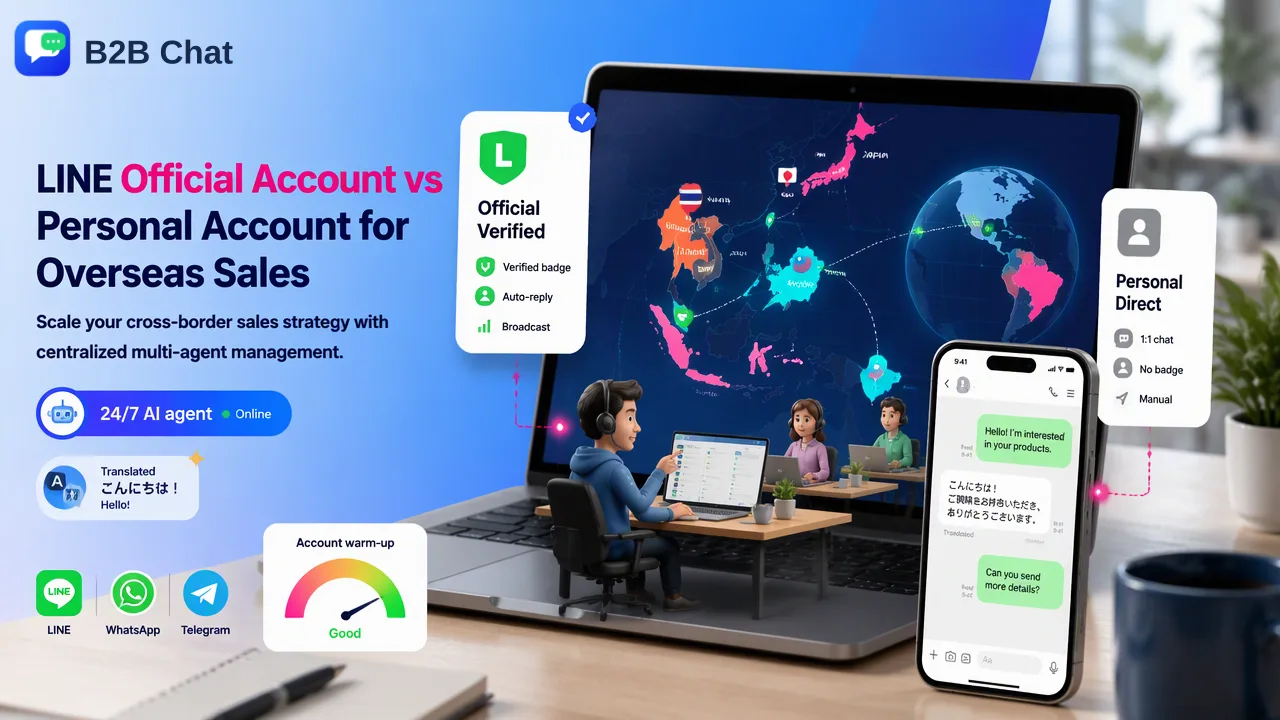
A practical comparison of LINE Official Accounts and personal accounts for cross-border sales teams in Japan, Thailand, and Taiwan, examining messaging limits, multi-agent workflows, and desktop management strategies.
Choosing between a LINE Official Account vs personal account depends on team scale, messaging volume, and interaction strategy across primary target markets such as Japan, Thailand, and Taiwan. LINE Official Accounts provide formal business verification, broadcast messaging capabilities, and native multi-operator web console access suited for structured marketing and high-volume customer service. Personal accounts offer direct, conversational one-to-one communication that helps foster close buyer relationships, but they lack native business management tools and restrict concurrent team usage. Cross-border sales teams frequently deploy both: Official Accounts for inbound acquisition and broad customer engagement, and personal accounts for specialized key-account outreach, often coordinating them through centralized desktop workspaces.
Operational Differences: Official vs. Personal Accounts
Evaluating a LINE Official Account vs personal account requires understanding their distinct technical capabilities and functional boundaries. LINE serves as a primary everyday communication channel across Japan, Thailand, and Taiwan, making account selection an important factor in overseas sales operations.
LINE Official Accounts are built specifically for commercial entities. They offer administrative access, broadcast messaging to reach thousands of followers simultaneously, rich menus, and analytics dashboards. In contrast, personal LINE accounts are intended for single individuals, prioritizing private one-to-one chats, voice calls, and basic group functions without commercial automation.
| Capability | LINE Official Account | Personal LINE Account |
|---|---|---|
| Primary Purpose | Marketing, broadcast outreach, structured support | Individual communication, direct relationship handling |
| Audience Reach | Broadcast messages to all connected followers | Direct one-to-one messaging and informal groups |
| Team Access | Native web console with multi-agent roles | Single mobile login with optional desktop sync |
| Profile Trust | Unverified or verified commercial badges | Individual user profile with display name |
| Automated Tools | Auto-replies, rich menus, scheduled broadcasts | Basic manual chat handling |
While an Official Account provides the infrastructure needed to present an established corporate identity, personal accounts maintain a casual, peer-to-peer feel that can be helpful when sales representatives conduct relationship-driven B2B prospecting.
Scaling Cross-Border Sales: Multi-Agent Management
Managing outbound sales across time zones creates operational hurdles when teams rely solely on standard personal LINE accounts. Because a personal LINE account binds primarily to a single mobile device—with optional secondary access on a single desktop computer—sharing that account across multiple sales representatives leads to session disconnections, missed notifications, and fragmented customer history.
Official Accounts address this problem natively through the LINE Official Account Manager console, where administrators assign roles to multiple team members. However, organizations managing multiple regional identities or distinct outbound campaigns across personal and official lines often need a consolidated workflow.
To coordinate distributed communication, teams use Explore B2B Chat, a desktop customer-service and outreach workspace for cross-border operations. The software aggregates WhatsApp, Telegram, and LINE accounts into an installed desktop client on Windows and macOS. This multi-open capability supports multi-agent workflows by centralizing various messaging channels into one shared desktop environment. In B2B Chat, ports are currently open and not billed by count or usage time, providing flexible multi-session organization without requiring individual sales staff to manage physical mobile devices for every connected line.
Optimizing Cross-Border Communication with AI Assistance
Operating in markets like Japan, Thailand, and Taiwan requires managing communications in Japanese, Thai, and Traditional Chinese. Even experienced cross-border sales teams face delays when manually translating buyer inquiries or drafting routine replies.
Integrated AI capabilities assist sales teams by handling high-volume operational tasks directly inside the messaging workspace:
- Context-Aware Translation: Smart Translation provides real-time two-way translation across 200+ languages with automatic language detection, adjusting phrasing according to conversation context and industry terminology.
- Automated First-Line Inquiries: Smart Service functions as an AI agent designed to interpret customer intent from conversation history and manage routine, parallel inquiries around the clock.
- Human-in-the-Loop Supervision: These automated tools support frontline operations rather than replacing human staff, allowing sales agents to review suggested replies, maintain relationship nuances, and handle custom commercial proposals.
By incorporating context-driven translation and automated routine replies into desktop messaging sessions, cross-border teams reduce tool switching and maintain responsive communication standards across international channels.
Decision Framework: When to Use Which Account Strategy
Deciding between a LINE Official Account, a personal account, or a combined hybrid model depends on your sales cycle length, outreach volume, and compliance requirements.
When to Deploy a LINE Official Account
- Inbound Marketing and Paid Media: Directing traffic from digital ads or website links into an Official Account provides professional branding and allows automated greeting messages.
- Audience Broadcasting: Publishing regular product updates, seasonal promotions, or brand announcements to large follower bases.
- Structured Support Departments: Distributing customer service tickets among dedicated agents using built-in team permissions.
When to Deploy a Personal Account
- High-Touch Outbound Sales: Initiating personalized B2B discussions where prospective clients prefer communicating directly with an individual account representative.
- Field Sales and Networking: Exchanging contacts at trade shows, corporate meetings, and regional events throughout Japan, Taiwan, or Thailand.
- VIP Account Management: Maintaining direct communication channels where buyers expect personal attention rather than automated bot interactions.
Adopting a Hybrid Architecture
Many expanding sales organizations find that combining both models yields the best results. A business can run a verified LINE Official Account as its public brand hub while equipping regional account executives with dedicated personal accounts for direct deal negotiation. Teams can Download B2B Chat to centralize these diverse LINE, WhatsApp, and Telegram touchpoints into a unified desktop client, standardizing customer record tracking and multilingual conversation handling.
FAQ
Can teams use a personal LINE account for cross-border business outreach?
Teams can use personal accounts for individual customer relationship building, private client handling, and direct one-to-one communication. However, personal accounts do not provide broadcast messaging, verified business profiles, or native multi-user administrative dashboards. Organizations operating personal accounts must manually manage operational security and avoid assuming that normal consumer accounts provide enterprise management features.
How does B2B Chat support managing multiple LINE accounts?
B2B Chat provides a downloadable desktop client for Windows and macOS that aggregates LINE, WhatsApp, and Telegram sessions into a unified interface. This architecture helps teams operate multiple accounts simultaneously on desktop computers without switching back and forth between separate physical devices or mobile screens.
Does deploying an AI customer service agent eliminate the need for human sales staff?
AI agents assist first-line communication by handling routine, context-aware inquiries across parallel conversations, but they do not replace human sales or support representatives. High-stakes negotiations, complex technical questions, and final commercial agreements still require direct human review and manual intervention.
Are there limits to how many messaging accounts can be aggregated?
In B2B Chat, ports are currently open and not billed by count or usage time. While this configuration allows teams to add and manage multiple messaging sessions across LINE, WhatsApp, and Telegram, it does not represent a guaranteed or unlimited deployment ceiling.
Learn More
Choose the product information that fits the next step in your workflow.