How to Design a Messaging-Team Handoff Workflow
Learn how to design a messaging team handoff workflow using B2B Chat to centralize WhatsApp and Telegram accounts with AI assistance.
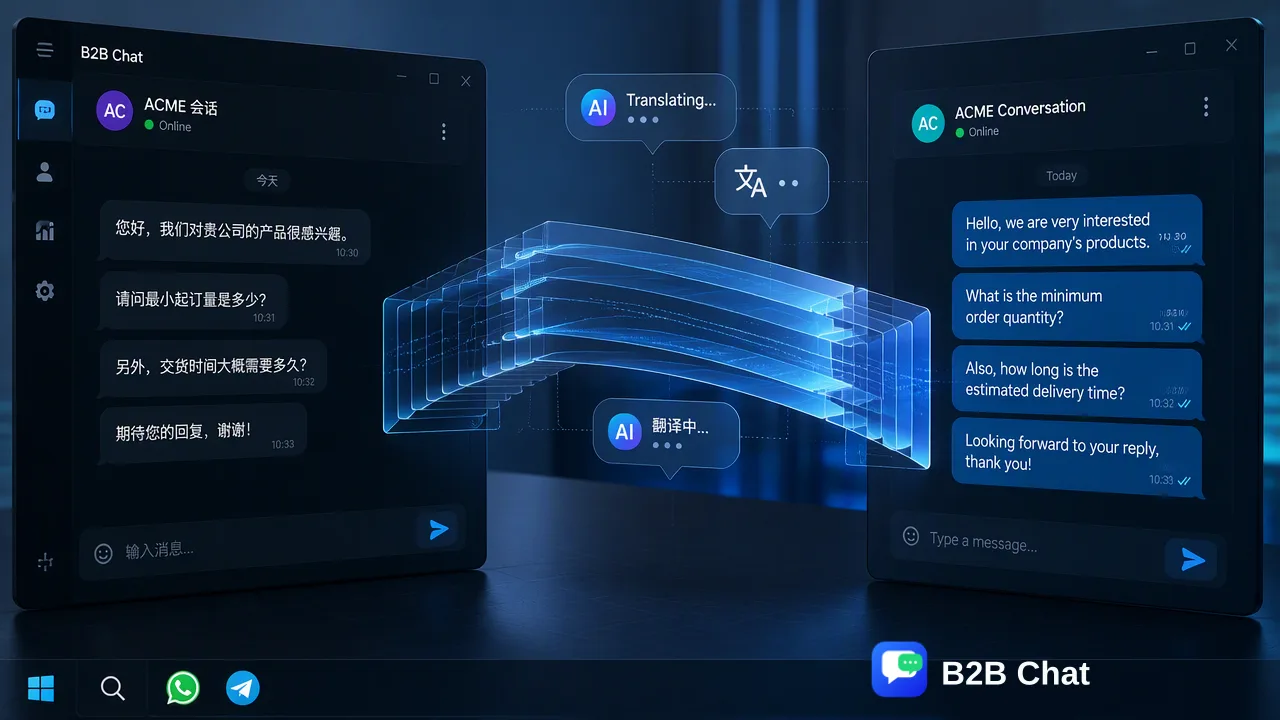
Learn how to structure a messaging team handoff workflow by centralizing WhatsApp and Telegram accounts, utilizing AI for first-line intent recognition, and applying context-aware translation to support human specialist review.
Designing a messaging team handoff workflow requires centralizing communication channels and structuring the transition from initial inquiry to specialist review. An effective workflow centers on aggregating WhatsApp and Telegram accounts within a single workspace. By utilizing AI customer service to interpret customer intent for first-line responses and applying AI translation to bridge language barriers across 200+ languages, teams can support continuous conversation context. This structured approach informs internal decisions and gives human specialists the necessary background when taking over a thread, minimizing friction during the transition.
Centralizing Multi-Platform Communication
The foundation of a messaging team handoff workflow is a unified workspace that aggregates incoming inquiries. B2B Chat operates as a comprehensive customer service tool designed specifically for WhatsApp and Telegram. Instead of requiring support agents to switch between different devices or browser tabs, the platform allows teams to manage multiple accounts in one place. This account aggregation and multi-login capability is delivered through a downloadable client available for Windows and macOS. By consolidating these channels, organizations can establish a single operational hub for their global marketing, private-domain traffic, and customer-support teams. The system supports unlimited registrations with no stated port quantity limit and no stated usage-duration limit, allowing operations to scale their account presence as messaging volume grows. Centralizing these accounts is the first operational step, as it provides the necessary infrastructure to route incoming messages to the appropriate automated or human workflows.
Automating First-Line Intent Recognition
Once accounts are centralized, the next phase of the workflow involves handling the initial customer inquiry. B2B Chat includes an AI Customer Service capability designed to interpret customer intent from incoming messages. Rather than relying solely on manual triage, this feature uses the conversation context to assist automated first-line responses. When a new message arrives via WhatsApp or Telegram, the AI Customer Service function analyzes the input to determine the underlying request. This intent understanding supports the initial interaction, providing immediate automated replies based on the recognized context. By handling these first-line responses, the system helps teams review the nature of the inquiry before a human agent is required. This step categorizes the conversation, which can be one input alongside other checks when determining which specialist should eventually receive the escalated thread.
Bridging Language Barriers During Handoff
Global customer support often involves inquiries in multiple languages, which can complicate the transition between automated systems and human agents. To address this, the workflow incorporates Smart Translation. B2B Chat’s AI Translation feature automatically detects and translates customer messages across 200+ languages. A critical component of this feature is that the translation expression is adjusted based on conversation context. This context-aware translation capability belongs strictly to the AI Translation function, processing the message input to provide a localized output. When a thread requires escalation, having the translated text available supports the human reviewer by providing a clearer understanding of the customer's original request. This assists teams in handling multilingual conversations without requiring every specialist to be fluent in the customer's native language.
Executing the Specialist Handoff
The actual handoff occurs when a conversation moves from the AI-assisted first-line response to a human specialist. In this stage, the human reviewer relies on the conversation context gathered during the initial automated interaction. Because the AI Customer Service has already interpreted the intent and the AI Translation has processed any language differences, the specialist receives a structured thread. This preserved context informs internal decisions and helps the specialist understand the steps already taken. The human agent can review the automated first-line responses and the translated customer inputs before replying. This visibility supports a smoother transition, as the specialist can continue the conversation based on the established background. The workflow relies on the downloadable client interface to display this history, giving teams context for their follow-up actions.
Managing Usage and Operational Costs
Structuring a messaging team handoff workflow also requires understanding the operational usage model. B2B Chat structures its capabilities around specific per-request usage rather than broad subscription tiers for its core AI features. The public site states that only AI Translation and Smart Customer Service are sold on a per-request basis. Specifically, AI Translation is publicly listed at $0.002 per request, while Smart Customer Service is publicly listed at $0.02 per request. Meanwhile, the underlying account aggregation—including the ports and unlimited registrations—remains fully open with no stated limits. This structure allows teams to centralize as many WhatsApp and Telegram accounts as needed while only incurring usage costs when the workflow actively calls upon the AI intent interpretation or translation functions. For ongoing operational support, teams can access public support paths, including Telegram support/contact channels and an official product-update channel.
FAQ
How does B2B Chat handle multiple messaging accounts?
B2B Chat functions as a comprehensive customer service tool that allows users to manage multiple WhatsApp and Telegram accounts in one place. It uses account aggregation and multi-login capabilities within a downloadable client for Windows and macOS, supporting unlimited registrations with no stated port quantity limit.
What is the role of AI in the first-line response process?
The AI Customer Service feature interprets customer intent from incoming messages and conversation context. This capability assists automated first-line responses, helping teams categorize inquiries and providing initial replies before a human specialist reviews the thread.
Can AI translation assist during a multilingual team handoff?
Yes, the AI Translation feature automatically detects and translates customer messages across 200+ languages. The translation expression is adjusted based on conversation context, which supports human specialists by providing translated background information when they take over the conversation.
How is the B2B Chat workspace accessed and deployed?
The product is delivered through a downloadable client. The public site offers downloads for both Windows and macOS operating systems, providing a centralized interface for account management and messaging workflows.
How are the AI features in the workflow priced?
The public site lists AI Translation at $0.002 per request and Smart Customer Service at $0.02 per request. The underlying ports and account registrations are fully open with no stated usage-duration limits.