How to Translate Telegram Chats in Real Time with Overseas Customers
A step-by-step workflow for translating Telegram customer chats in real time, covering private versus group chats and when to keep the original text.
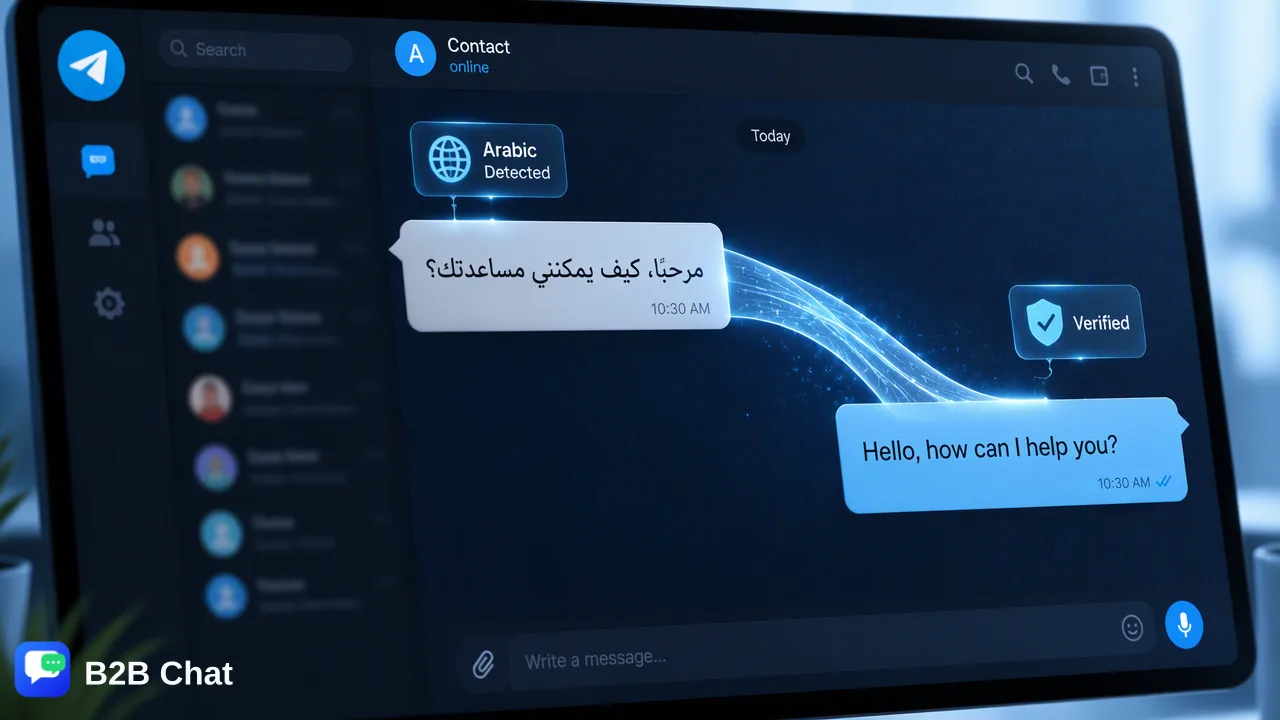
A practical workflow for reading and replying to overseas Telegram customers in their own language with two-way translation.
To translate Telegram chats in real time with overseas customers, turn on automatic language detection, read each incoming message in your own language, and send replies that are translated back into the customer's language. Telegram's built-in translation covers single messages and, for Premium accounts, whole chats. A team that handles many customers needs the same behavior inside a shared workflow: translation in both directions, plus a rule for when someone checks the original wording before sending.
What Telegram's built-in translation does and where it stops
Telegram translates individual messages for free, and Premium accounts can switch on real-time translation for a whole chat. According to Telegram's translation documentation, the app runs a local language recognition model on incoming messages in private chats, groups and channels (secret chats are excluded). A popup offering translation appears only after enough messages have been processed and most of the recognizable ones are in a foreign language. Users can also exclude languages so the popup stops suggesting them.
That design suits one person reading a foreign group. A sales or support team has a different job: reading the customer's message is only half of it, because the reply must also reach the customer in a language they read comfortably. Check three points before relying on built-in translation alone:
- Whether the person replying can see the translated message and also write back in the customer's language.
- Whether translation works the same way on every account the team uses, not only one personal profile.
- Whether a colleague who takes over a conversation sees the same translated view.
If any answer is no, the team ends up copying text between Telegram and a separate translator, which is slow and easy to get wrong.
A workflow for translating Telegram customer chats in both directions
B2B Chat is a desktop workspace where Telegram accounts sit next to WhatsApp and LINE accounts in one client. Smart Translation detects the customer's language automatically and translates in both directions across 200+ languages, using conversation context to choose wording that suits the topic. A repeatable routine looks like this:
- Open the Telegram account that owns the conversation in the desktop client. Download the Windows or macOS client from the download page.
- Read the incoming message in your working language. Language detection runs automatically, so the team does not pick a source language for each customer.
- Write the reply in your own language. The reply is translated into the customer's language before it is sent.
- Check the sensitive parts. Quantities, dates, delivery terms and payment details deserve a second look before sending, because a single wrong number costs more than a slow reply.
- Send, then continue the thread. Context carries across the conversation, so short follow-ups such as "same size, please" are translated with the earlier messages in mind.
The same routine works for any language pair, which matters when one team serves buyers writing in Indonesian, Spanish, Portuguese or Arabic on the same day. Translation quality still depends on the source text, so clear, short sentences in your own language give the best result.
Private chats versus groups
Private chats and groups call for different habits.
| Situation | What to do | Why |
|---|---|---|
| One-to-one customer chat | Reply in full sentences and keep one agent per thread | The translation sees a consistent conversation and the customer hears one voice |
| Customer group with several buyers | Address people by name and keep each reply short | Messages from different people arrive interleaved, so context is easier to misread |
| Community or announcement group | Translate to read, but do not reply on behalf of the company unless assigned | Many members may see the answer, so wording needs extra care |
In a group, read two or three earlier messages before replying so the translated answer matches the question being asked. Automatic detection also handles groups where members mix languages, but a reply aimed at one person should name that person so the translation of a pronoun does not point at the wrong buyer.
When to keep the original text in view
Translation is a reading aid, not a replacement for judgment. Keep the customer's original wording available, and have someone compare it with the translation, in these cases:
- Money and numbers: prices, quantities, currencies and deadlines.
- Complaints and disputes: tone matters, and a literal translation can sound harsher or softer than intended.
- Idioms and slang: informal phrases, emoji-heavy replies and abbreviations may not carry over cleanly.
- Product and industry terms: B2B Chat tunes translation for industry terms, but a team that uses its own model names or part numbers should keep them in the original form.
- Anything legal or contractual: route it to a person who reads the customer's language.
For routine questions such as stock, shipping time or catalog requests, the translated view is usually enough. Do not promise perfect accuracy to customers or to your own team; define which message types get a second check and apply that rule consistently.
Standardize recurring answers
Real-time translation reduces the effort of each reply, but the team still answers the same questions every day. Put approved answers into the reply library in the CRM console so every agent starts from the same wording, and use keyword auto-replies for the simplest triggers. For questions that need context, Smart Service can draft routine first-line replies, with staff handling the cases that need a decision. The AI customer service page explains where that line usually sits.
Translation and Smart Service are billed per request and are separate features. Current rates are on the pricing page.
FAQ
Does Telegram translate whole chats for free?
Telegram translates individual messages without a subscription, while real-time translation of an entire chat is a Premium feature, according to Telegram's documentation and press coverage of the feature. Menu names can change between app versions, so check the current app.
How can teams translate Telegram replies into the customer's language?
Teams can use a workspace with two-way translation, such as B2B Chat, where the agent writes in a working language and the reply is translated into the detected customer language before sending.
How can teams handle mixed-language Telegram groups?
Automatic language detection reads each message separately, so members writing in different languages can be followed in one view. Replies aimed at a single member should name that member and stay short.
When should a human check a translated Telegram message?
Learn More
Choose the product information that fits the next step in your workflow.