Telegram More Than 3 Accounts: How Teams Run Several Telegram Accounts Beyond the Limit
Telegram apps hold three accounts, or four with Premium. Compare second devices, separate desktop copies and multi-account clients for team use.
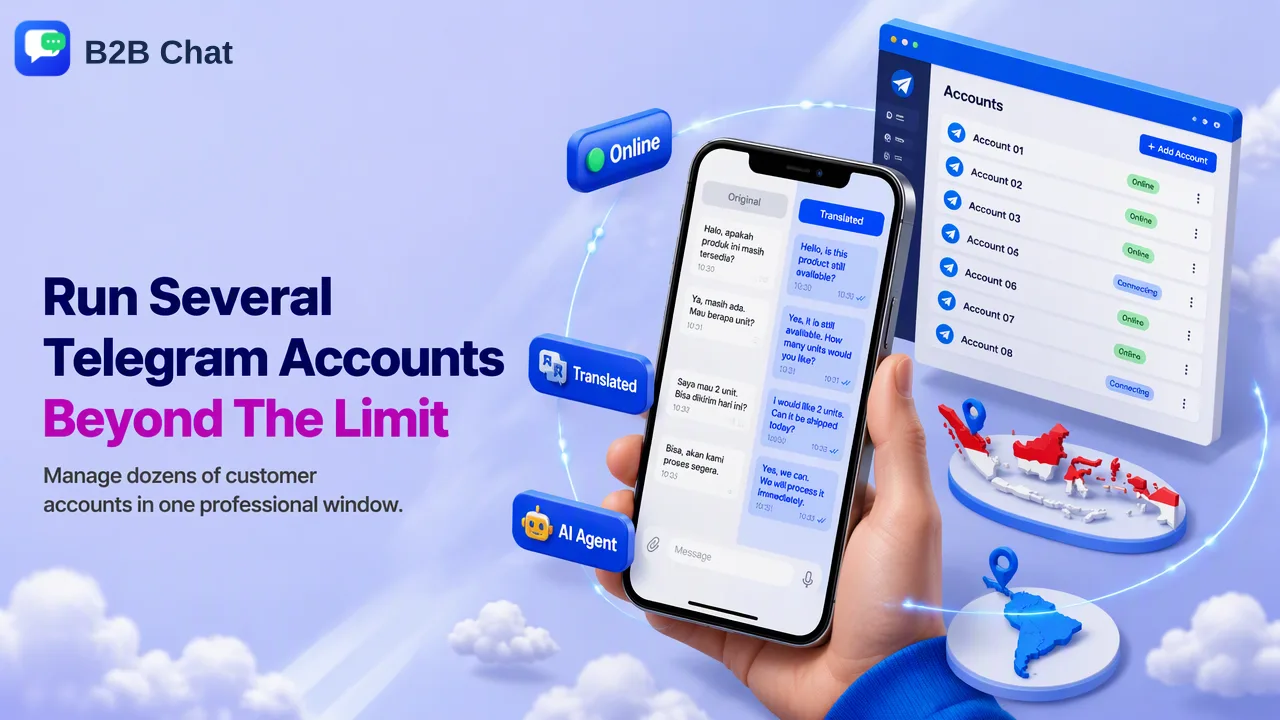
Why official Telegram apps stop at three accounts, the realistic ways teams go further, and how to keep many customer-facing accounts organized and within Telegram's spam rules.
Running Telegram with more than 3 accounts is not possible inside a single standard Telegram app: each official app holds up to three accounts, and a Telegram Premium subscription adds a fourth. Teams that need more spread accounts across additional devices, run separate copies of Telegram Desktop, or use a multi-account client that opens each account in its own session. Every account still needs its own phone number and still follows Telegram's spam rules, so the choice is mainly about how easily staff can switch, supervise and hand over conversations.
Where the three-account Telegram limit comes from
Telegram introduced multiple accounts on Android at the end of 2017, allowing up to three accounts on different phone numbers with switching from the side menu. iOS followed in 2019, with Add Account under Settings > Edit, and Telegram Desktop gained the feature in 2020, letting users stay signed in on three accounts from different phone numbers.
With the launch of Telegram Premium in 2022, subscribers can add a fourth account to any Telegram app. Telegram's general FAQ confirms the other half of the rule: each phone number is a separate account, and one app can be logged in with several of them at once.
In practice:
| Situation | Accounts per Telegram app |
|---|---|
| Standard account | 3 |
| With Telegram Premium | 4 |
| Same phone number twice | Not possible: one number is one account |
For one person juggling personal and work accounts, three or four is usually enough. For a sales or support team running a dozen customer-facing accounts across Indonesia, Latin America and other markets, it is a ceiling that shapes the whole setup.
Ways to run more than 3 Telegram accounts
Ranking guides list many tricks. These are the ones that hold up for business use, with their trade-offs.
Telegram Premium for a fourth slot
The simplest step past three, but it only adds one account per app and the subscription is per account. It does not solve a ten-account problem.
Additional phones or tablets
Each device runs its own Telegram app with its own three or four accounts. This is officially supported and simple, but it ties work to physical devices, makes typing long replies slow, and makes supervision hard.
Separate copies of Telegram Desktop
Telegram offers a portable version of Telegram Desktop for Windows alongside the installer. Teams sometimes keep several portable copies in separate folders, each holding its own accounts. It works, but every copy is a separate window with separate notifications, and nothing ties the copies together for reporting or handover.
Telegram Web in separate browser profiles
Each browser profile can hold a separate web session. It needs no installs, but staff easily reply from the wrong profile, sessions get logged out when profiles are cleaned, and there is no shared record of who handled what.
A multi-account client
A dedicated client opens each account in its own isolated session inside one window. This is the option built for teams, covered in the next section.
One trick to skip: older blog posts describe a hidden debug menu that unlocks extra accounts on iOS. Testing by ranking guides reports that it no longer works, and it is not an official feature.
Comparing the options for a team
| Option | Accounts beyond three | Switching speed | Supervision and handover | Main drawback |
|---|---|---|---|---|
| Premium | One more per app | Fast | None built in | Only adds one slot |
| Extra devices | Yes, three or four per device | Slow, physical | Hard | Device dependence |
| Portable desktop copies | Yes, per copy | Window juggling | None built in | Scattered windows and notifications |
| Browser profiles | Yes, per profile | Moderate | None built in | Wrong-account replies, logouts |
| Multi-account client | Yes, one session per account | Fast, one window | Seats and records, depending on client | Another tool to adopt |
The deciding question for most teams is not how to open more sessions but who answers each account, how a colleague covers for them, and where the conversation history lives if someone leaves.
How B2B Chat keeps several Telegram accounts in one window
B2B Chat is a Windows and macOS desktop client that aggregates and multi-opens WhatsApp, Telegram and LINE accounts. Telegram accounts sit beside the team's WhatsApp and LINE accounts in the same window, so a salesperson covering Indonesian buyers on Telegram and Mexican buyers on WhatsApp works from one screen. The desktop client download is free.
Ports are currently open and not billed by count or usage time. That does not mean a guaranteed ceiling for very large deployments, so teams planning a big rollout should confirm their setup with the B2B Chat team.
For team operation, the CRM console adds what separate Telegram apps lack:
- Activation codes identify each working session and can be restricted to one device or left unrestricted.
- Support seats assign staff to accounts, so coverage during leave or shift changes is planned rather than improvised.
- Customer records and a shared reply library keep answers consistent across every Telegram account.
- Smart Translation detects the buyer's language and translates both directions, which matters when one Telegram account serves several markets. The WhatsApp chat translator page shows the same translation workflow in a chat context.
Each Telegram account still needs its own phone number and must be logged in through Telegram's normal sign-in.
Keeping many Telegram accounts within Telegram's rules
More accounts do not change the rules each account follows. Telegram's spam FAQ treats unsolicited messages to strangers, especially ads, invite links and commercial offers, as spam. Users can report them, and a limited account can only message mutual contacts and reply to people who wrote first. Limits typically last a few days at first and grow longer for repeat cases, appeals go through @SpamBot, and some virtual or VoIP numbers can be limited even without sending anything.
For a team, that translates into a few operating rules:
- Use each account for conversations customers started or agreed to. A multi-account client organizes replies; it is not a way to broadcast to cold lists.
- Give every account a clear purpose, such as one market, one product line or one support queue, so customers are not contacted by several accounts from the same company.
- Prefer stable numbers that the company controls, so accounts can be recovered and handed over.
- Pace new accounts. Start with real two-way conversations before raising daily activity. B2B Chat's warm-up policies can schedule a gradual ramp with randomized intervals and daily caps, but no schedule overrides Telegram's rules.
- Review sessions regularly. Telegram shows active sessions under Settings > Devices, so ended sessions can be closed when staff change.
FAQ
How many Telegram accounts can one app hold?
Three accounts on different phone numbers in a standard Telegram app, and four with Telegram Premium. The same phone number cannot be used for two accounts.
How can teams add a Telegram account on mobile and desktop?
On Android, use the account switcher in the side menu; on iOS, open Settings > Edit > Add Account; on Telegram Desktop, use Add Account from the main menu. Each new account is verified with its own phone number.
Does having several Telegram accounts get them banned?
Owning several accounts is a supported feature. Restrictions come from behavior, such as unsolicited messages and user reports, and some VoIP numbers can be limited by Telegram regardless of activity.
How can a team receive notifications from every account?
Inside one Telegram app, notifications cover all signed-in accounts. Once accounts are spread across devices or browser profiles, notifications are spread too, which is a main reason teams move to a single multi-account client.
Learn More
Choose the product information that fits the next step in your workflow.